Modernizing the appraisal workflow from order intake to field inspection and analysis
A leading property valuation technology company asked our team to define the next generation of its appraisal platform. Its established tools supported an essential, highly regulated process, but the experience had become fragmented, inflexible, and difficult to evolve. As project lead and a hands-on designer, I guided the engagement from discovery through delivery while personally shaping the mobile experience and the product architecture connecting orders, property research, inspection, comparable selection, and report development.
- Role
- Project Lead, Designer, Researcher
- Team
- Two-person design team within a cross-functional consulting team
Overview
Create a flexible product foundation for appraisal work spanning the office, the road, and the property.
Background
Over a five-month engagement, we researched the complete collateral-valuation lifecycle, aligned stakeholders around a product strategy, and designed an integrated mobile inspection experience and web-based valuation workbench. We interviewed professionals across the collateral lifecycle, modeled the platform’s core objects and relationships, facilitated a two-day strategy workshop, and established a shared design framework.
Problem
Appraisers and other valuation professionals moved between disconnected tools to research properties, manage orders, conduct inspections, select comparable properties, and build reports. Users depended on manual entry and personal workarounds, while system stability, data transparency, and customer support remained persistent concerns.
My role
I served as project lead, designer, and researcher, working closely with one other product designer and a cross-functional consulting team. I helped define the project plan, led client working sessions and weekly reviews, and kept the strategy and design work connected across the engagement.
My hands-on responsibilities included:
- Defining the overall product architecture and relationship between mobile and web
- Synthesizing research into design principles and prioritized opportunities
- Planning and facilitating strategy and design workshops
- Designing core mobile workflows for orders, order details, and field inspection
- Shaping the web workbench framework and its connected research and analysis modules
- Preparing and testing prototypes with working valuation professionals
- Guiding interaction and visual design refinement
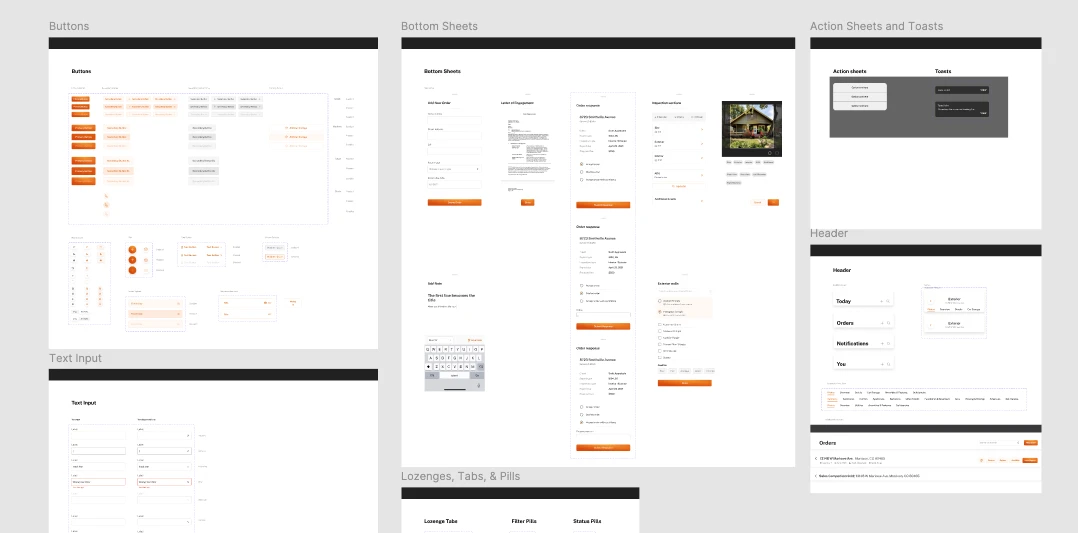
- Delivering final prototypes, documentation, and a component library
Results
- ShippedThe redesigned experienceThe redesigned mobile and web experiences were tested with working appraisers, refined, and shipped.
- Design systemA component libraryA reusable component library and design-system direction, with interaction documentation and implementation guidance.
- RoadmapA prioritized MVPA prioritized MVP and roadmap for future workflows.
Challenge
Modernize the experience without disrupting a regulated process or removing professional judgment.
Residential appraisal combines logistics, property research, field inspection, measurement, photography, analysis, and standardized reporting. The overall process is constrained by regulation, but the tools supporting it do not have to be slow or cumbersome.
The existing product suite created friction at nearly every stage:
- Users moved between multiple tools and data sources to complete a single appraisal.
- Basic property information was repeatedly researched and entered by hand.
- The platform was difficult to adapt when regulations or industry requirements changed.
- Users needed to understand the source and reliability of imported data.
- Appraisers had different workflows and were wary of tools that reduced their control.
- Fieldwork required reliable mobile and offline behavior.
- Stability, saving, performance, and error reporting needed to work before new features would matter.
The goal was not to reinvent appraisal. It was to reduce the administrative burden surrounding it so appraisers could spend more time applying their expertise.
Approach
Research the entire system, then focus the vision on the highest-value workflows.
Research
We interviewed 21 people through individual and group sessions. Participants represented touchpoints across the collateral lifecycle and included daily users, managers, and professionals working with appraisal and valuation products.
The research revealed a system-level problem rather than a collection of isolated usability issues:
- Data collection was one of the most time-consuming parts of appraisal work.
- Users researched the same property across multiple sources to establish confidence.
- Basic factual information was still entered manually.
- Users wanted automation, but only when the source and reliability of the data remained visible.
- Workflow friction increased whenever people had to leave the platform for outside tools.
- Customers needed flexibility because organizations and individual appraisers worked differently.
- An aging professional population and previous product instability created a meaningful adoption challenge.
We also created an object model of the platform’s organizations, roles, orders, appraisal reports, properties, actions, and relationships. This helped us reason about the product as a connected system before jumping into individual screens.
Strategy
I helped plan and facilitate a two-day strategy workshop with the client team. Together, we reviewed the research, mapped the future product landscape, prioritized service areas, identified dependencies, and aligned on language for the future experience.
The resulting design framework emphasized:
- Powerful, actionable data
- Data integrity and transparency
- A unified valuation workbench
- Intelligent, configurable rules
- Flexible and collaborative workflows
- Helpful guidance and automation
- Integrated self-service and support
We prioritized report building, valuation analysis, and mobile inspection as the first areas in which the future vision could become tangible. This focused the design effort while establishing principles that could extend across the broader product suite.
Design
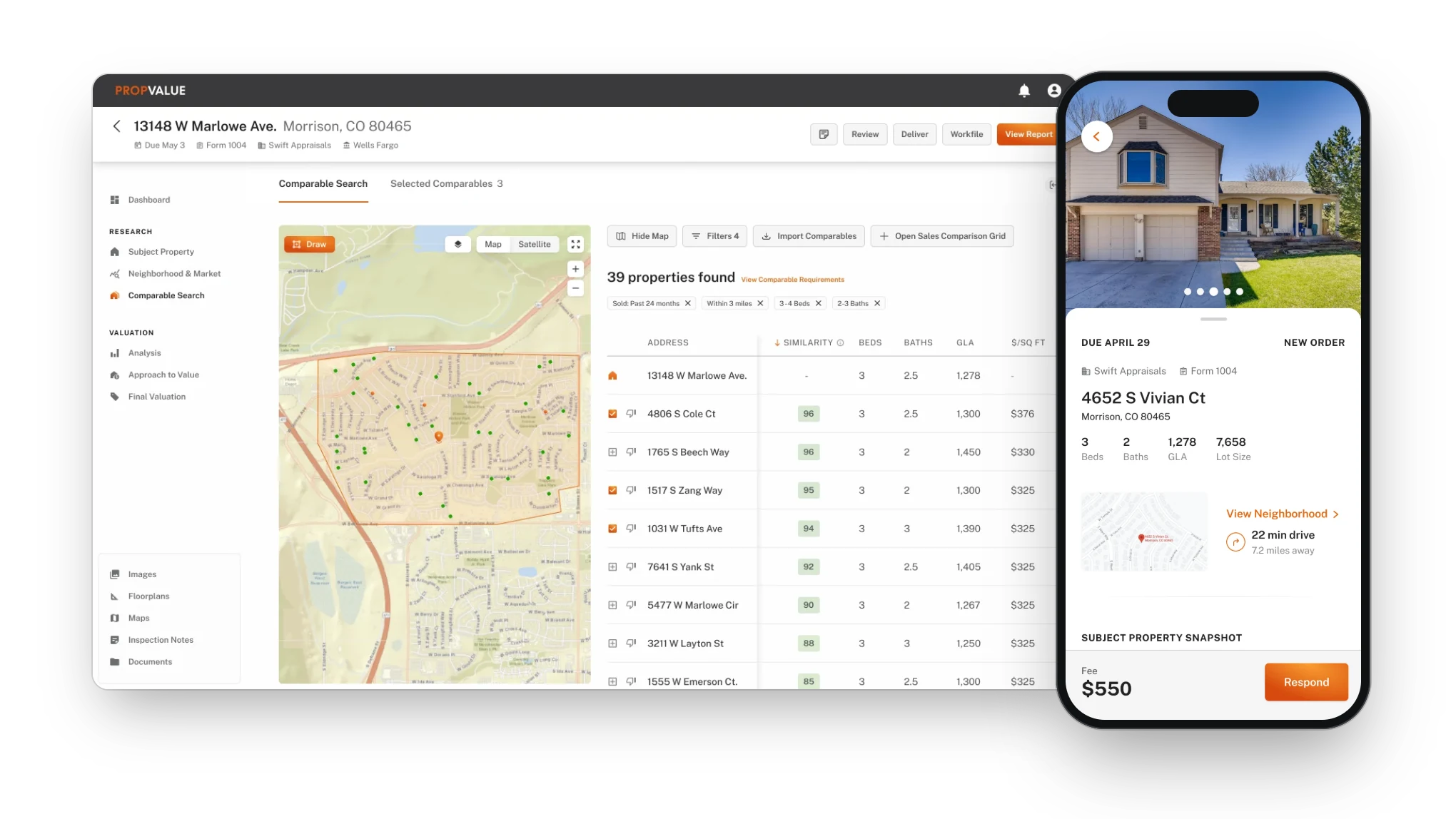
We designed and tested two connected product surfaces: a mobile field experience and a web valuation workbench.
Designing the mobile field experience
Designing the valuation workbench
Testing and refinement
We tested the mobile experience and web workbench with working appraisers, appraisal managers, and other valuation professionals across two rounds of research.
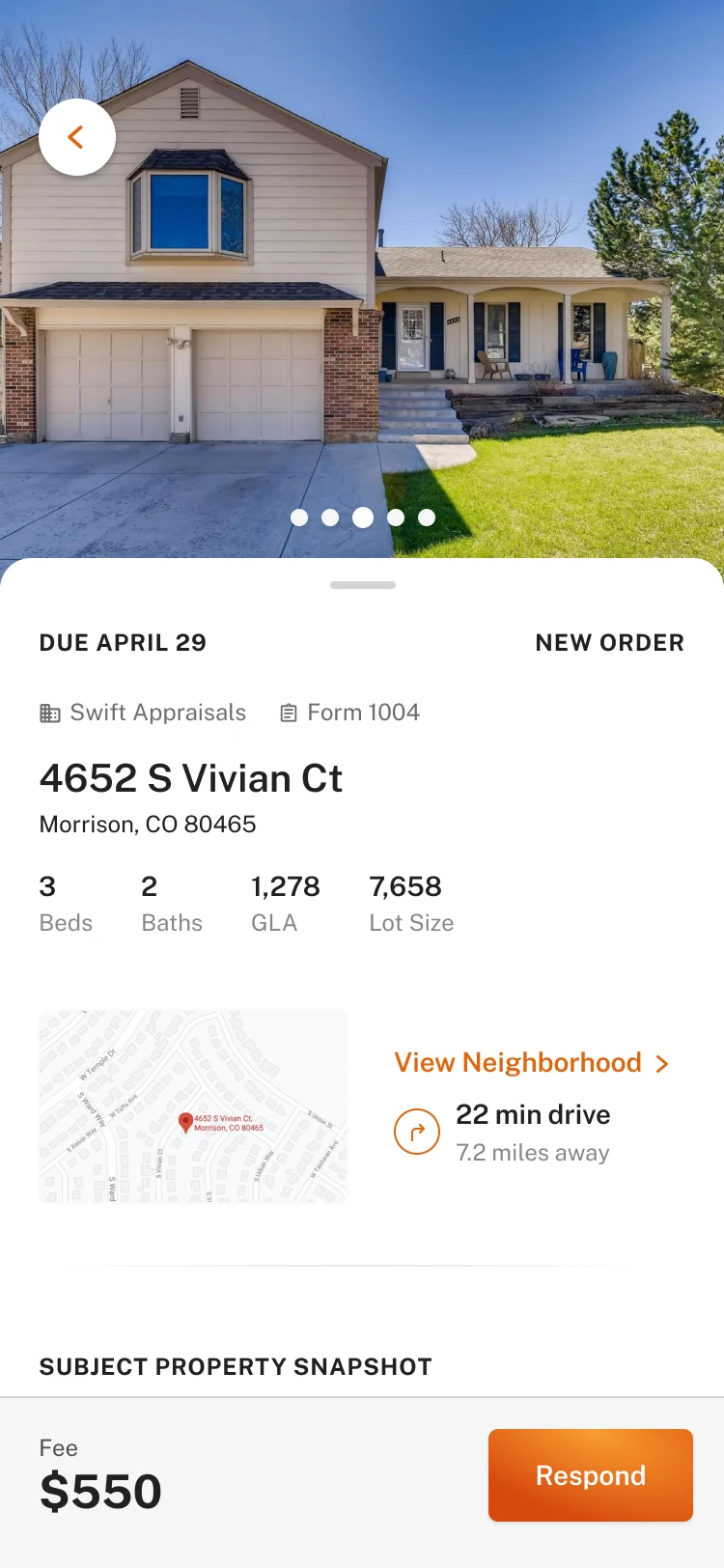
Mobile participants understood the Today view, order statuses, order details, and inspection structure with little explanation. They valued having high-priority work elevated, property context available before accepting or visiting an assignment, and inspection sections that reflected their mental model.
“Nice - before I accept the order I would need to look this stuff up, so this is way better.”
Testing also exposed important nuances:
- Due dates and inspection status needed greater visibility.
- Users needed control over how orders and statuses were organized.
- Imported data required clear source attribution.
- Autofill needed to explain when multiple sources agreed.
- Interior inspection needed to remain flexible for different property types.
- Scheduling, mapping, and route planning represented meaningful future opportunities.
In the web round, participants valued the integrated property information and comparable search, particularly when it replaced research performed in outside tools. They also challenged concepts that introduced extra process without an obvious output. We used that feedback to simplify the workbench, clarify data provenance, and focus the remaining design time on the modules with the greatest value.
“Really like the piece here that it highlights information that hasn’t been verified or included.”
“I dig it, it’s super easy to get around… there’s just enough on the screen.”
Defining an achievable first release
Near the end of the engagement, we worked with the client to translate the vision into an MVP and implementation plan. The delivered workbench scope included the order framework and dashboard, comments and guidance patterns, subject-property research, neighborhood and market research, comparable search and selection, the sales-comparison framework, reusable-entry patterns, and property quick views.
Other areas, including full report-form design, review, signing and delivery, final valuation, and some work-file artifacts, remained outside the design sprint. Documenting those boundaries made the handoff more useful: the client received a clear picture of what was ready for implementation, what was represented only as a concept, and what still required product definition.
Key moments
Two connected surfaces: a field companion on the phone and a valuation workbench on the web.
Designing the mobile field experience
Give appraisers a practical companion for managing work and collecting information in the field.
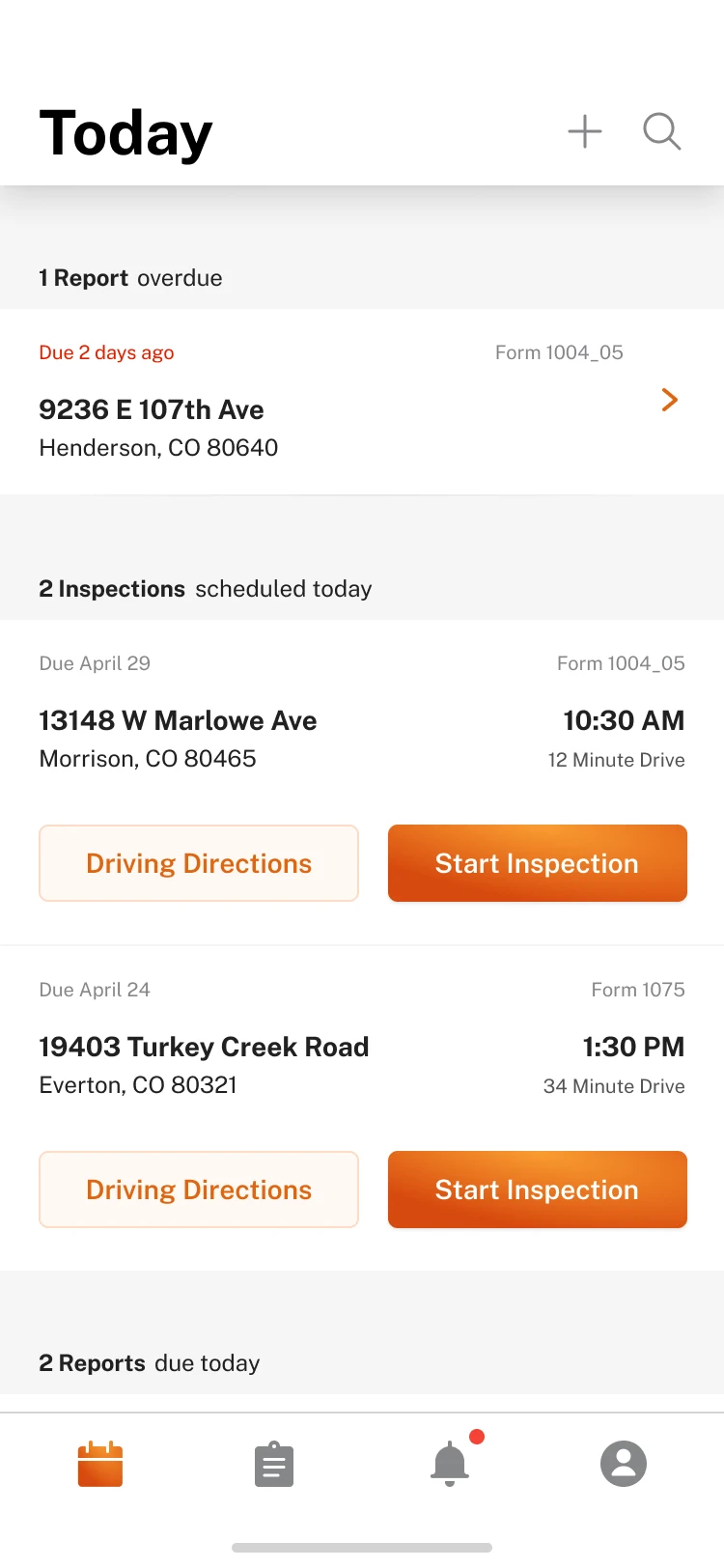
Start with today’s priorities. The mobile landing experience elevated today’s inspections, reports due or overdue, and work returned for revision. Appraisers could understand what required attention without first navigating a complex order-management system.
“This is your landing page—this is what your day looks like.”
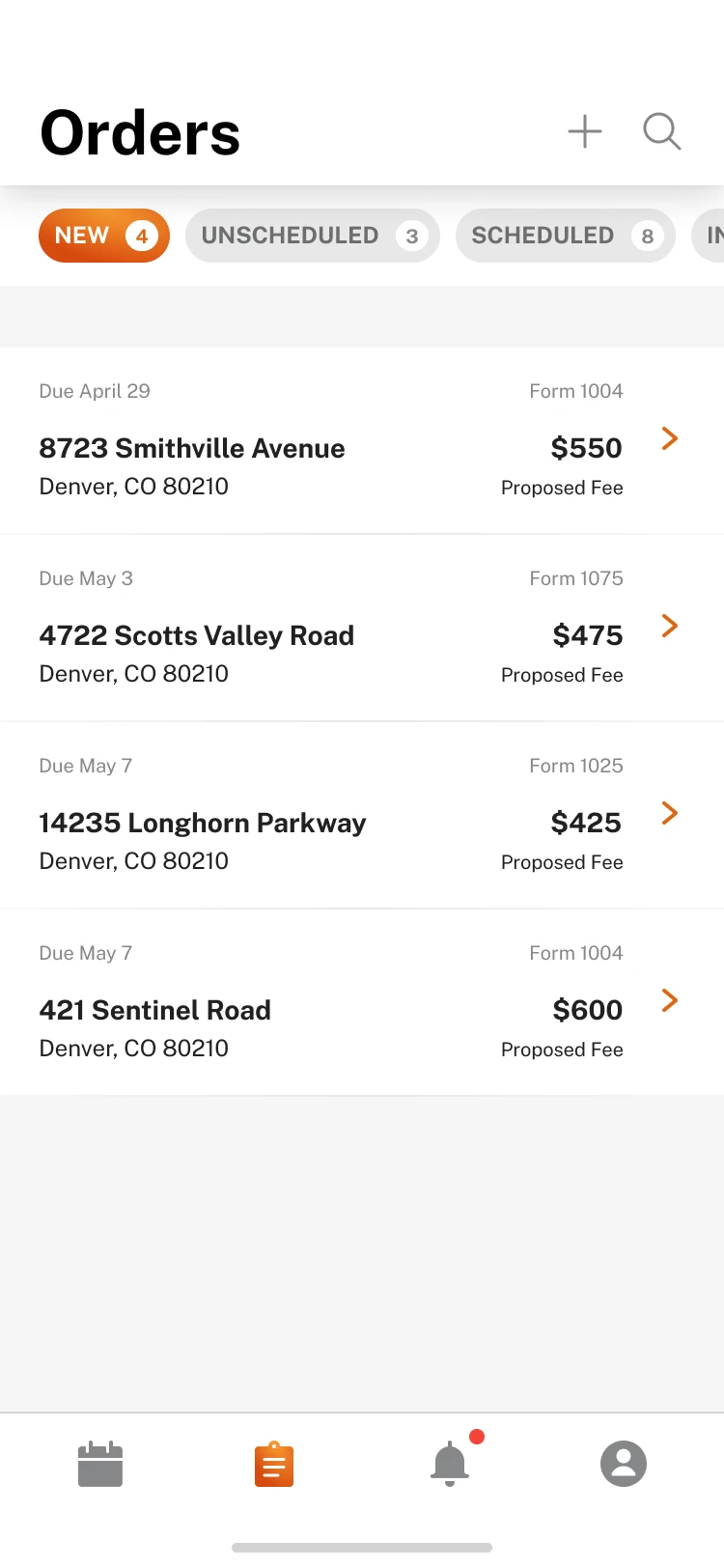
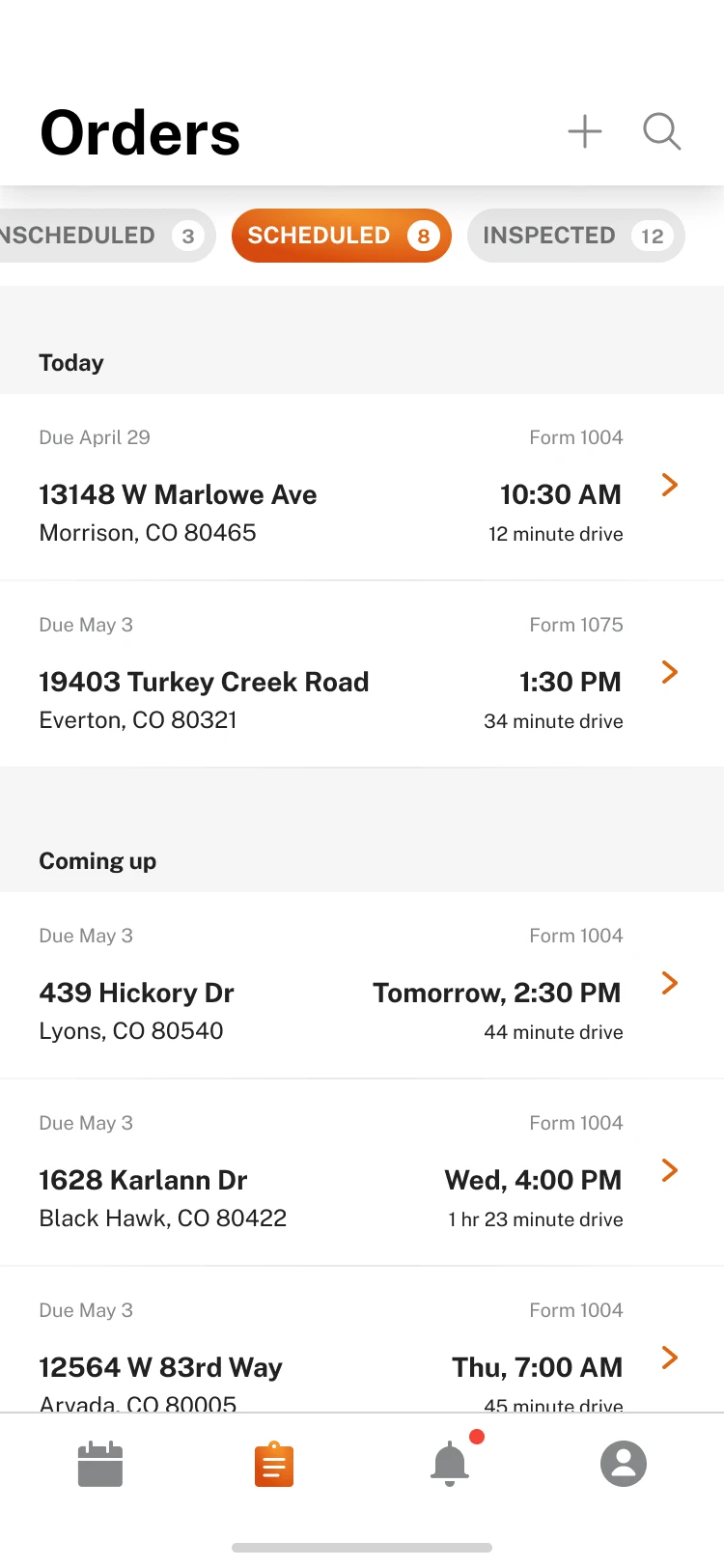
Make the order pipeline understandable. The Orders experience organized work by status and exposed the information appraisers needed to scan their pipeline: due date, status, client, form type, and property address. Order details brought together property context, contacts, milestones, directions, and the next available action.
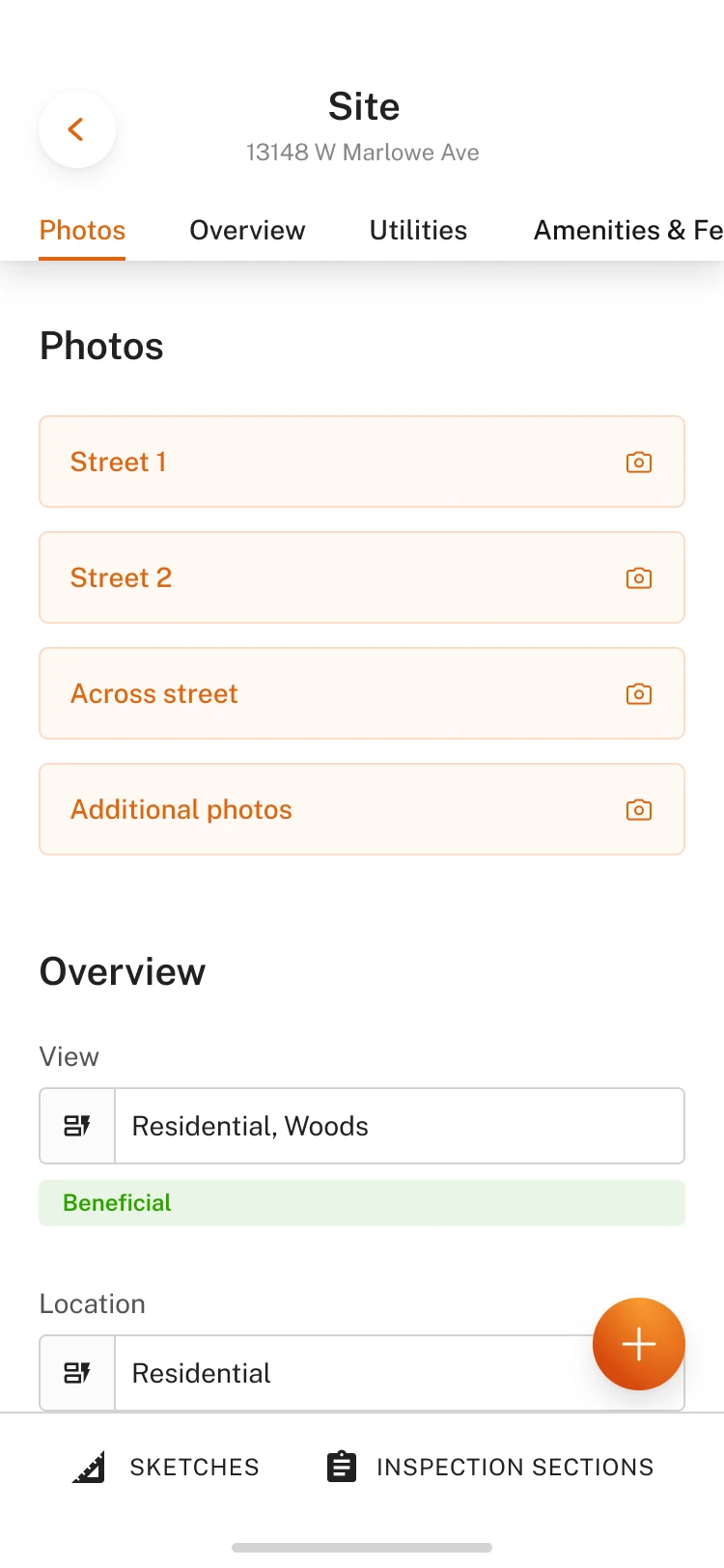
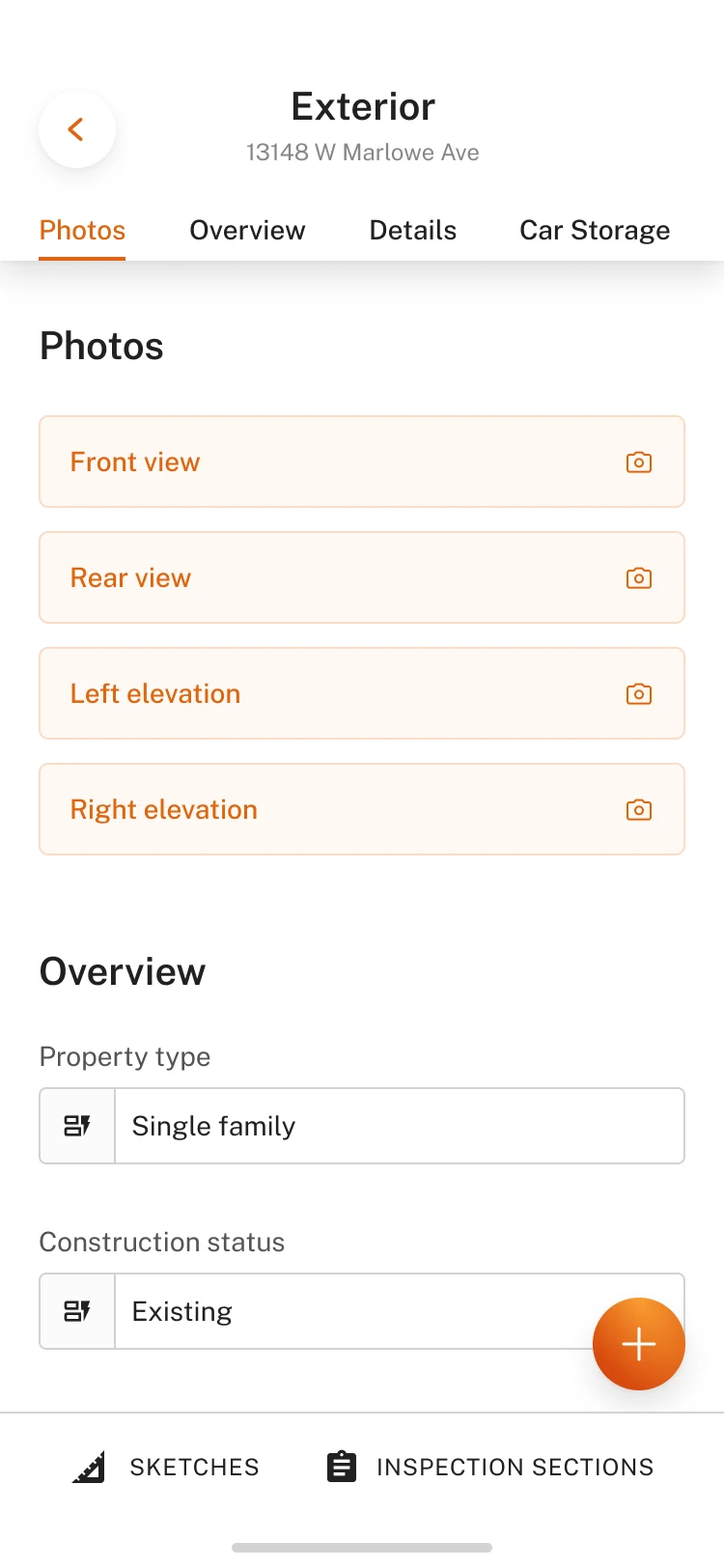
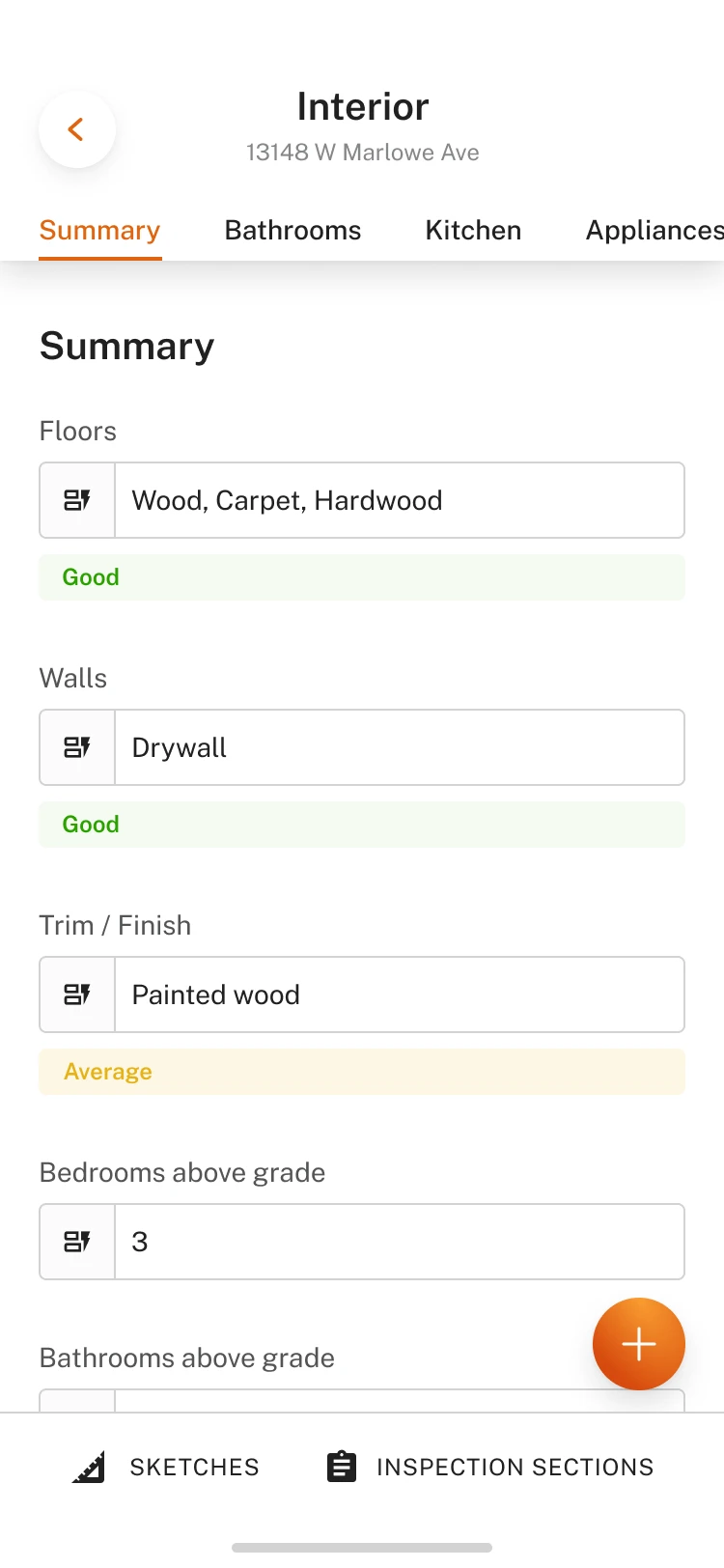
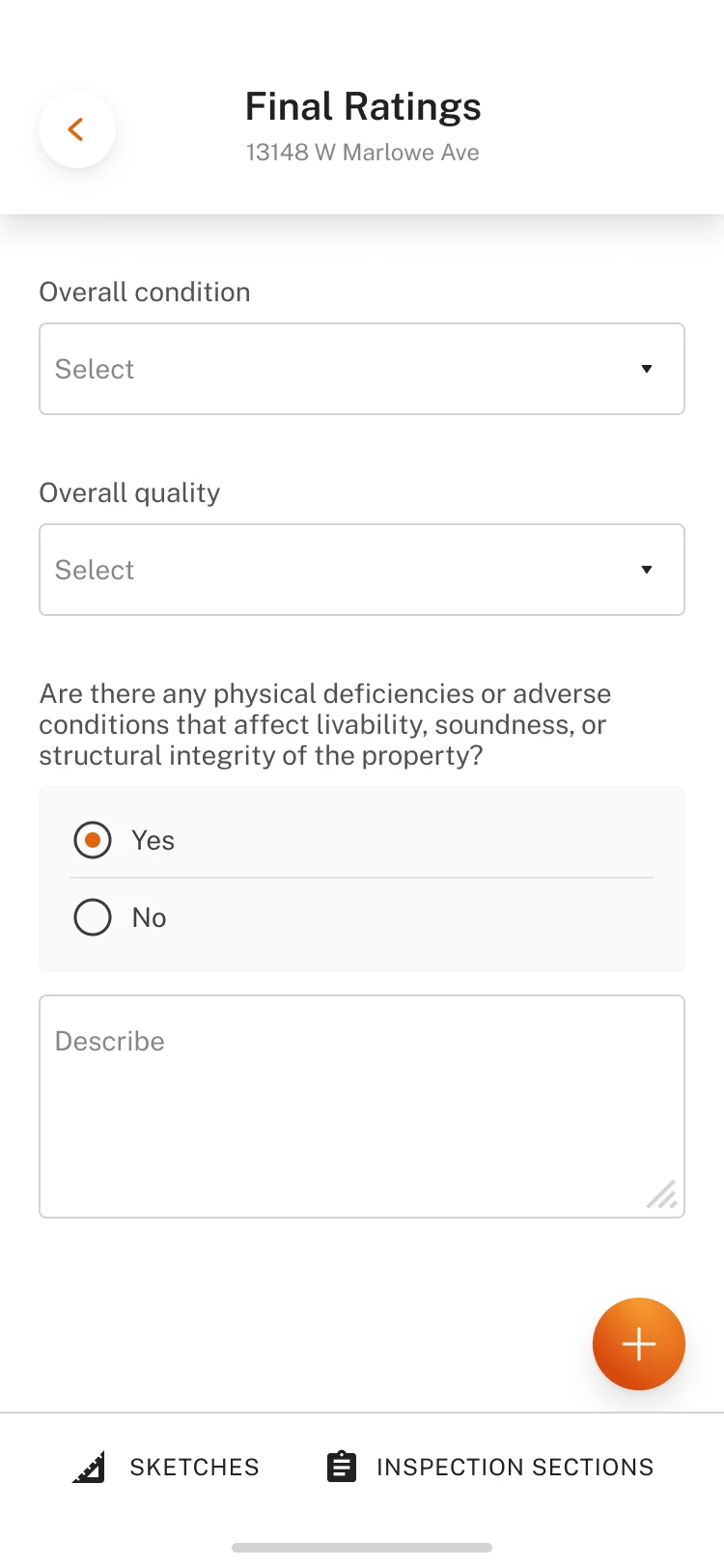
Support fieldwork, not just form filling. The inspection flow followed the physical progression of an appraisal: site, exterior, interior, and final details. Photo placeholders, quick access to notes and sketching, and visible progress helped appraisers move through the property while keeping the report organized.
The design also explored reusable responses, configurable room lists, guided completion, and data-assisted entry. Offline saving was treated as foundational because reliable connectivity could not be assumed in the field.
Today, orders, and order details
Inspection
Designing the valuation workbench
Bring orders, trusted property data, comparable research, and analysis into one connected workspace. The web workbench established the product’s broader information architecture and a modular framework for building an appraisal over time.
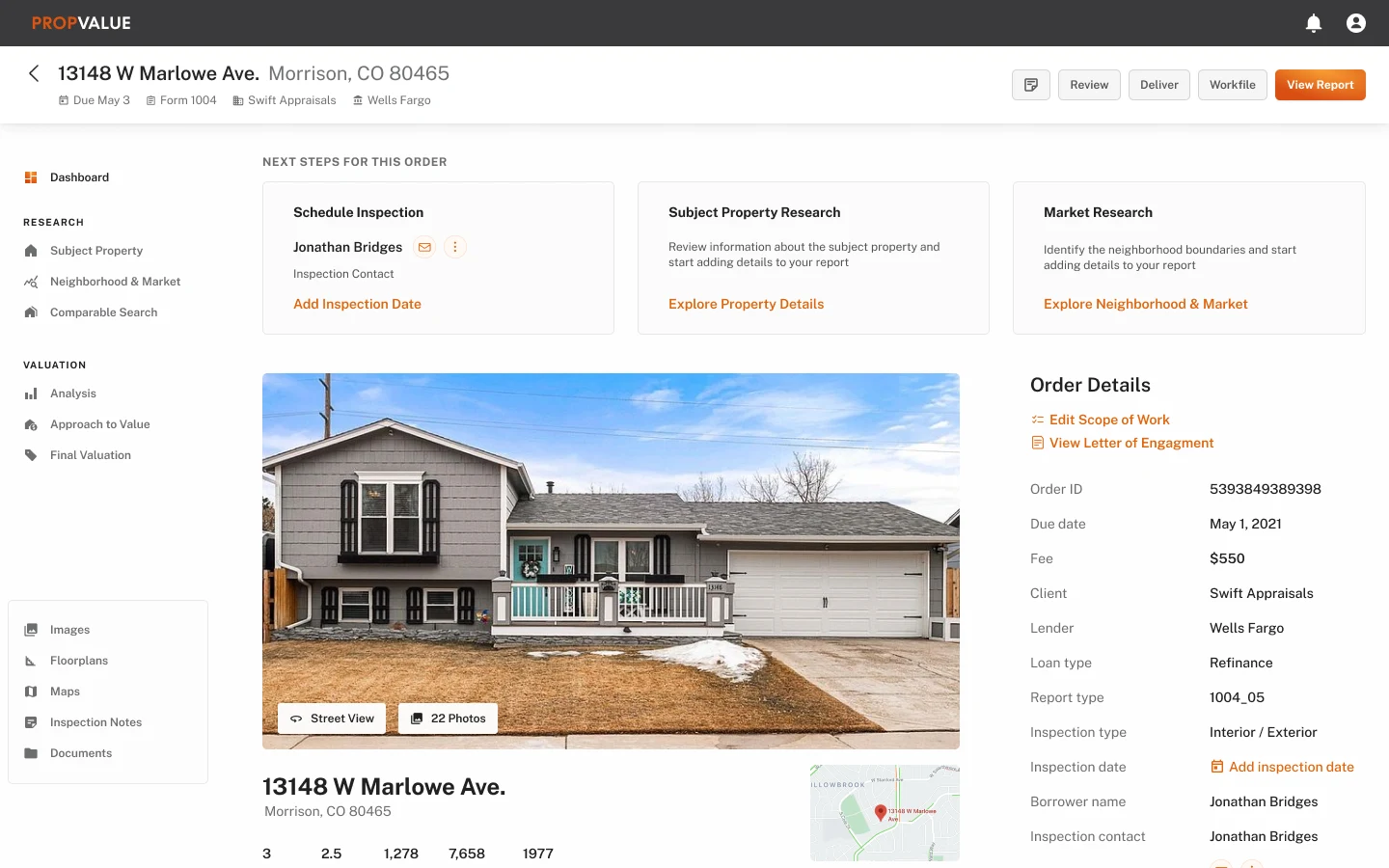
An order dashboard built around next steps. The dashboard combined order status, milestones, property context, comments, files, and the next actions required. It gave appraisers a coherent starting point for scheduling, research, inspection preparation, and report work.
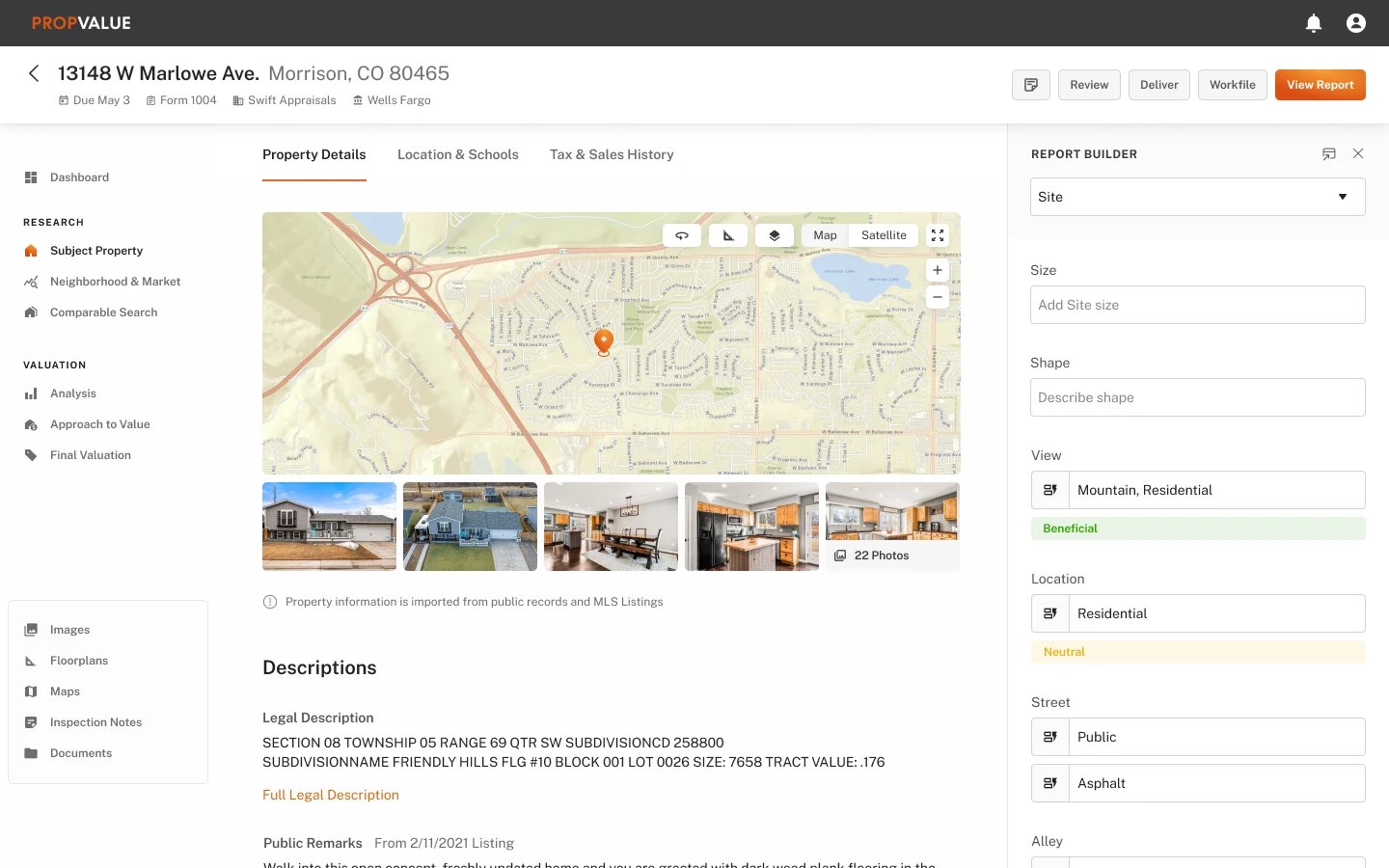
Property information with visible provenance. The subject-property module brought public records, transaction history, taxes, images, and other available information into the workspace. Because trust was essential, the concepts exposed data sources and explored how appraisers could choose, override, or comment on imported information.
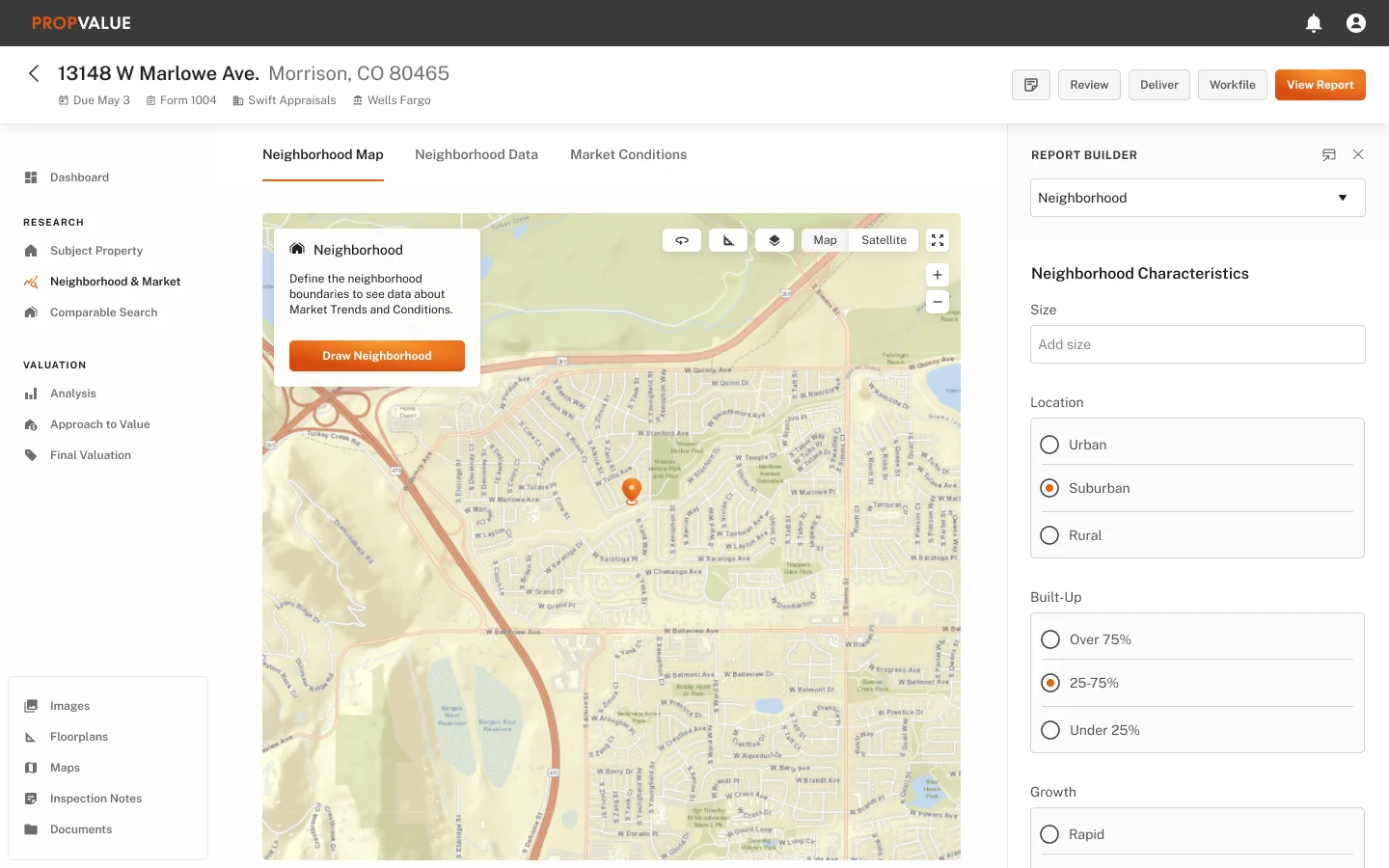
Integrated neighborhood and market research. Appraisers could define a neighborhood, examine market trends, and carry relevant analysis into their work without rebuilding the same context across separate tools.
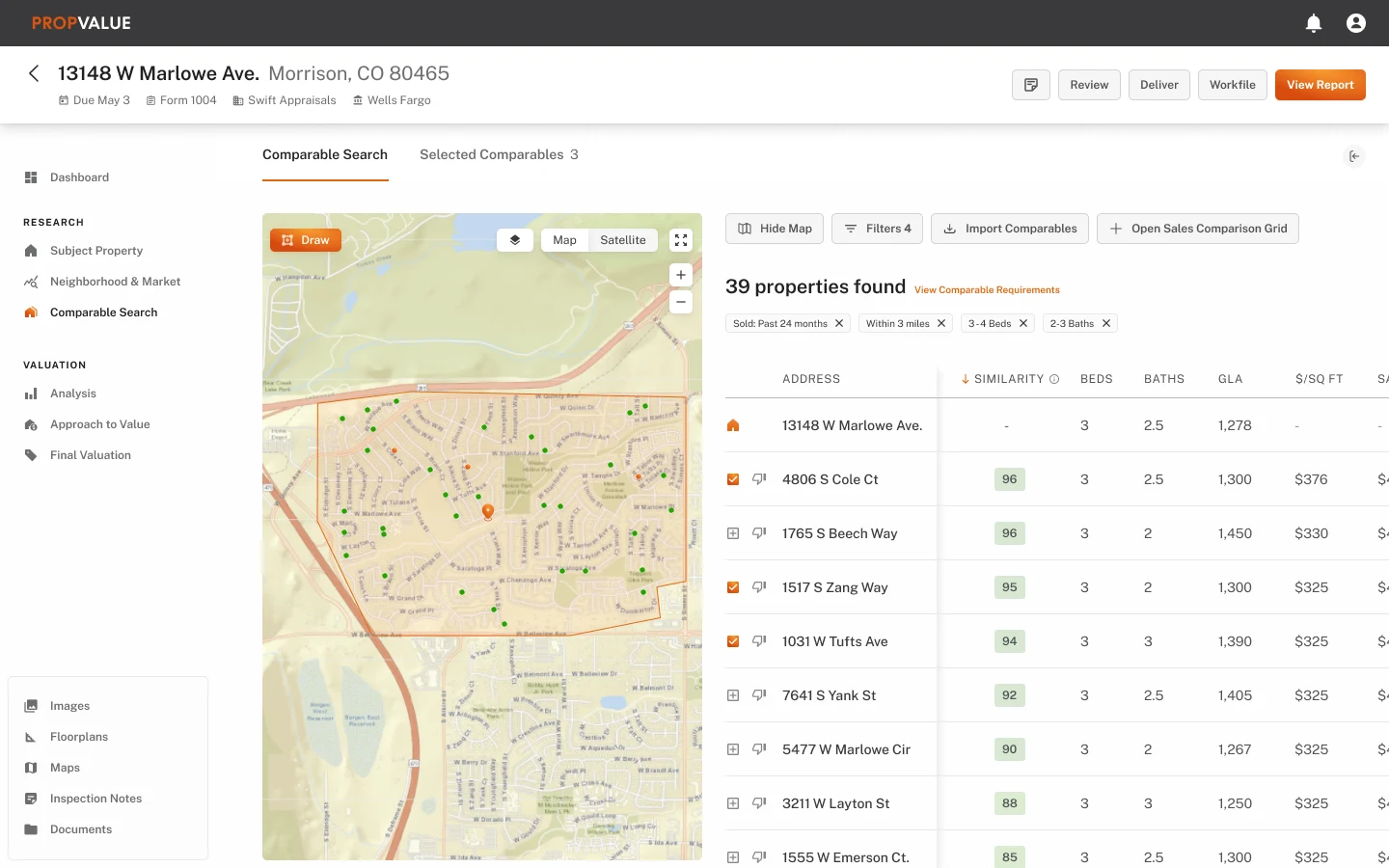
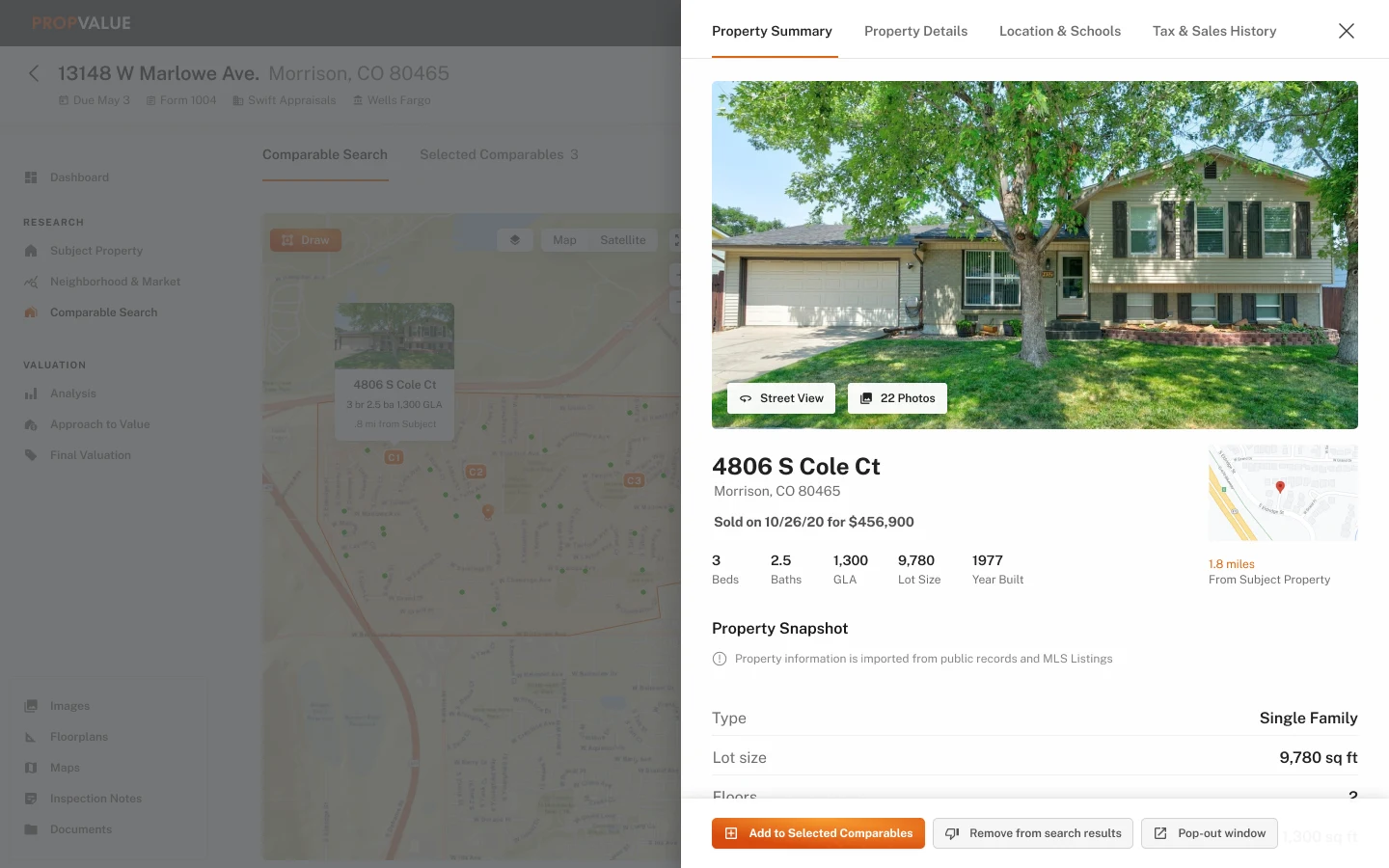
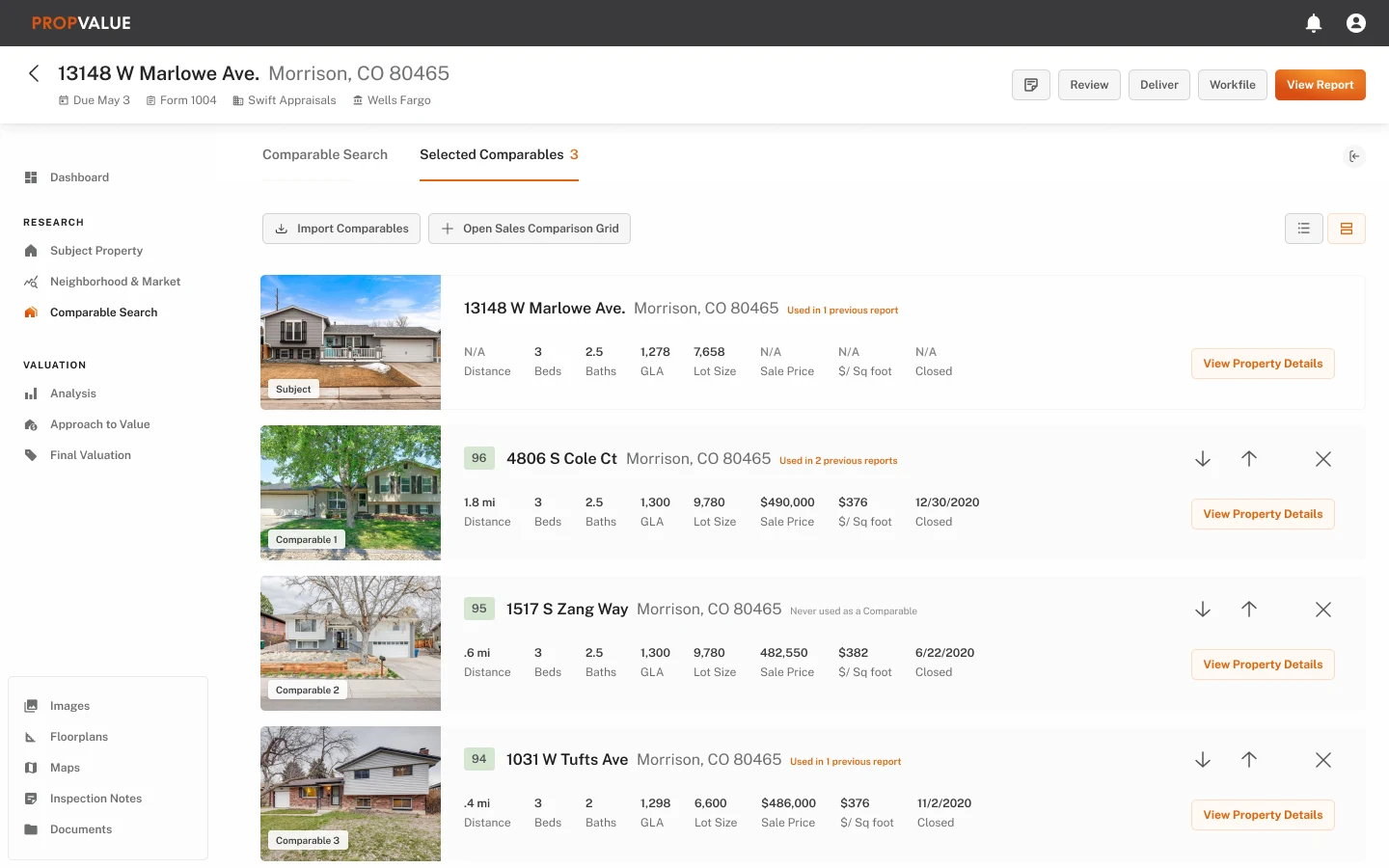
Comparable search and selection. The comparable-property workflow combined search, maps, property previews, selected comparisons, and previous usage. This brought functionality appraisers valued in outside market-data tools into the primary valuation workflow.
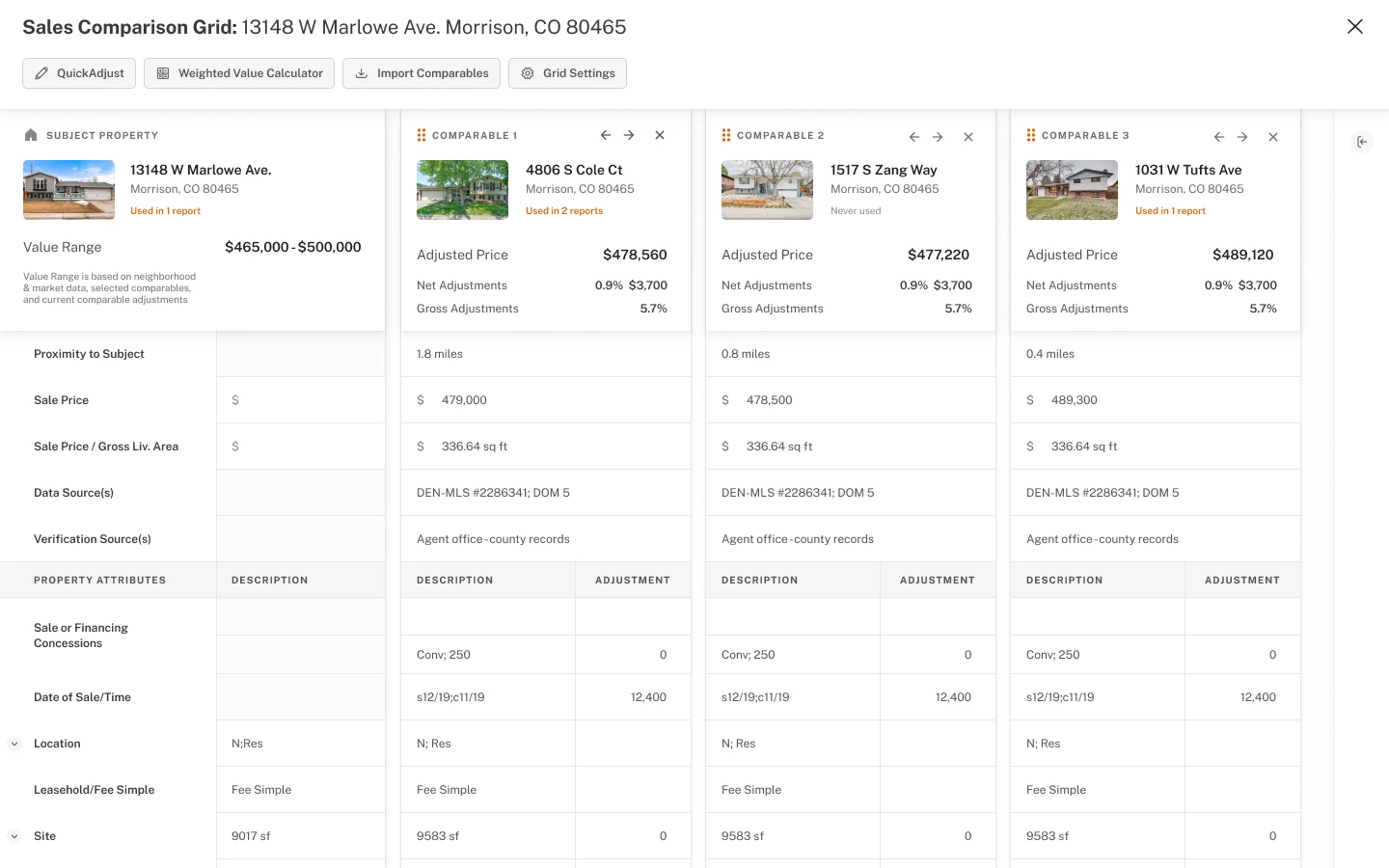
A more useful sales-comparison grid. The sales grid helped appraisers compare subject and comparable properties, inspect source information, understand prior use, and work through adjustments in context. Reusable entries reduced repetitive input while preserving professional review.
Impact
A shipped redesign and a scalable foundation for continued product modernization.
The redesign shipped
The redesigned experience shipped, and gave the company a shared product strategy and a flexible framework for continuing to modernize a complex, regulated platform.
A reusable foundation
A cross-platform product architecture, a reusable component library and design-system direction, and interaction documentation and implementation guidance.
Designs ready to build and extend
Tested mobile and web product designs, high-fidelity prototypes and a narrated product walkthrough, and a prioritized MVP and roadmap for future workflows.