Redesigning a health insurance app for millions of BCBS members
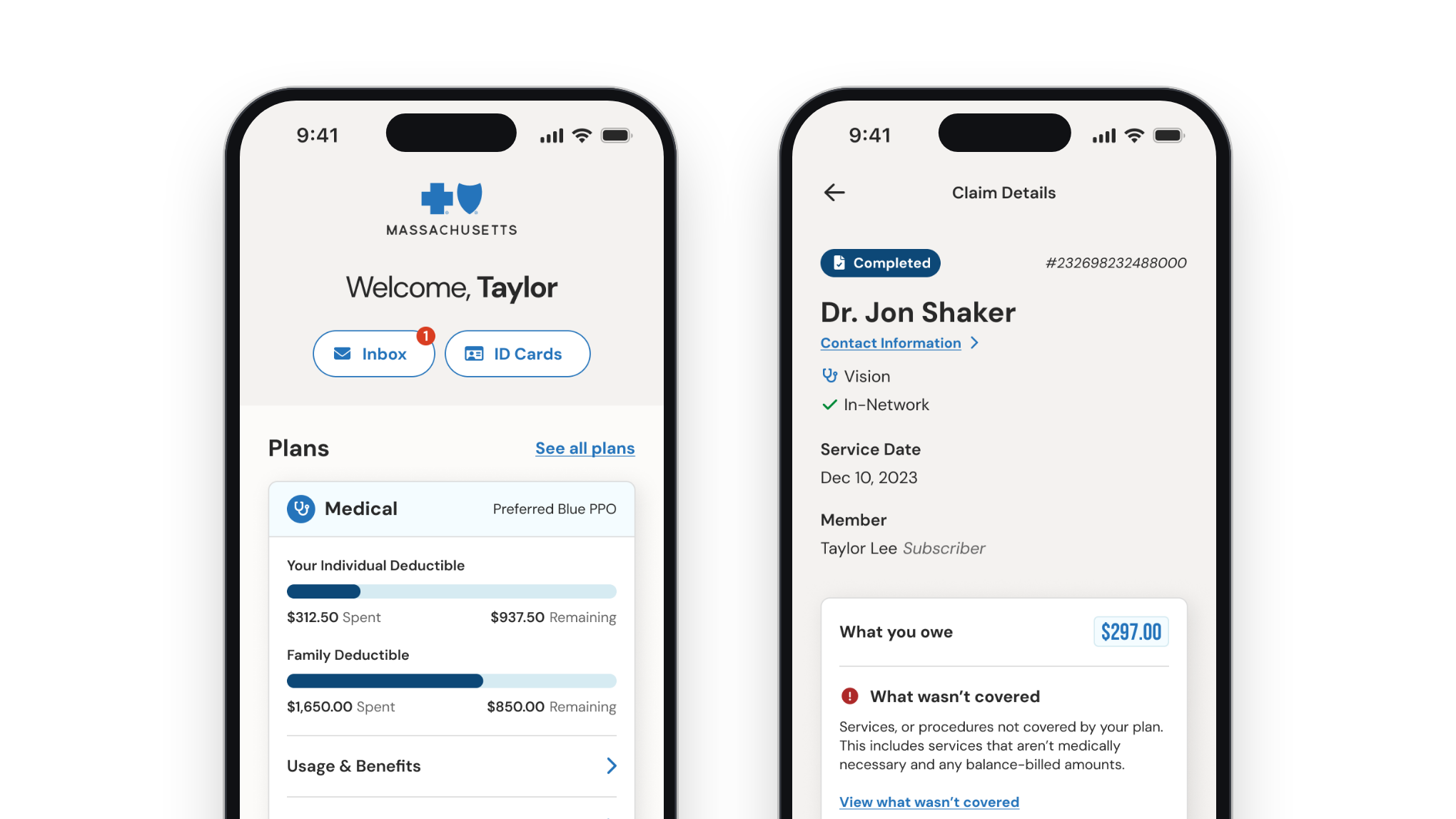
BCBSMA is a nonprofit health care company serving nearly 3 million members across Massachusetts. Despite its strong reputation, its mobile app was outdated and hindering members’ ability to access plan information. I led the end-to-end redesign, evolving a poorly rated experience into a clear, accessible, highly rated app that launched in 2024 and is now rated 4.9 stars.
- Role
- Design Director & Principal Designer
- Team
- Three designers and a researcher, working in tandem with a large engineering firm
Overview
Frustrated members, a complex industry, and abysmal ratings. Rebuilt in under 10 months, rated 4.9 in the App Store.
Background
The BCBSMA mobile app was outdated and poorly rated by members. BCBSMA chose to rebuild it from the ground up, on an aggressive delivery timeline.
Problem
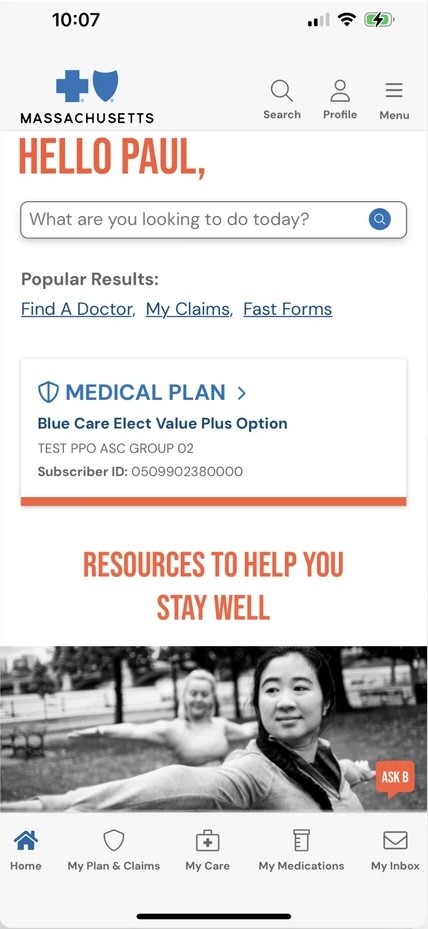
The existing app needed to do more than simply refresh the look. Performance issues, confusing navigation, and marketing-forward design had led to poor reviews and degraded trust.
My role
I led the end-to-end redesign as Design Director and Principal Designer, on a three-person design team. Our researcher led foundational work with members while the design team interviewed stakeholders, explored interaction models, and defined visual design directions. Feature areas were split among the design team.
Results
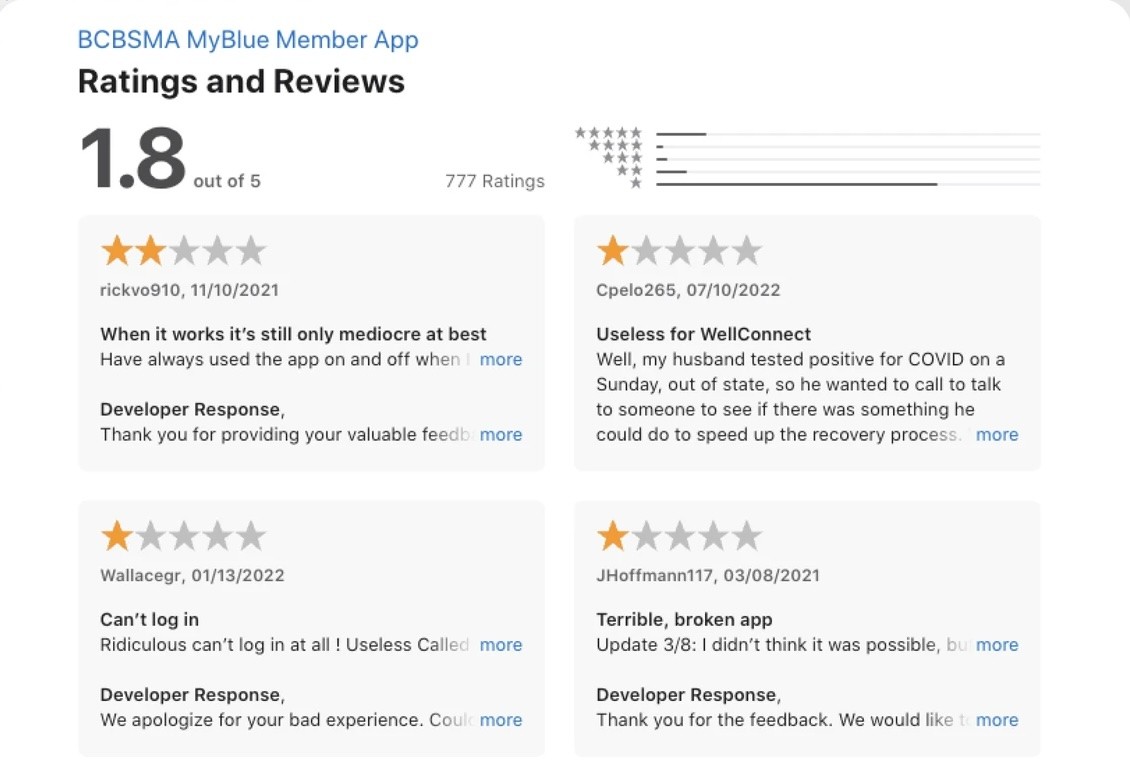
- 4.9App Store rating, up from 1.8With 12,000+ ratings as of October 2026.
- 12Core feature areasPlus authentication and onboarding, delivered in under 10 months by a three-person design team.
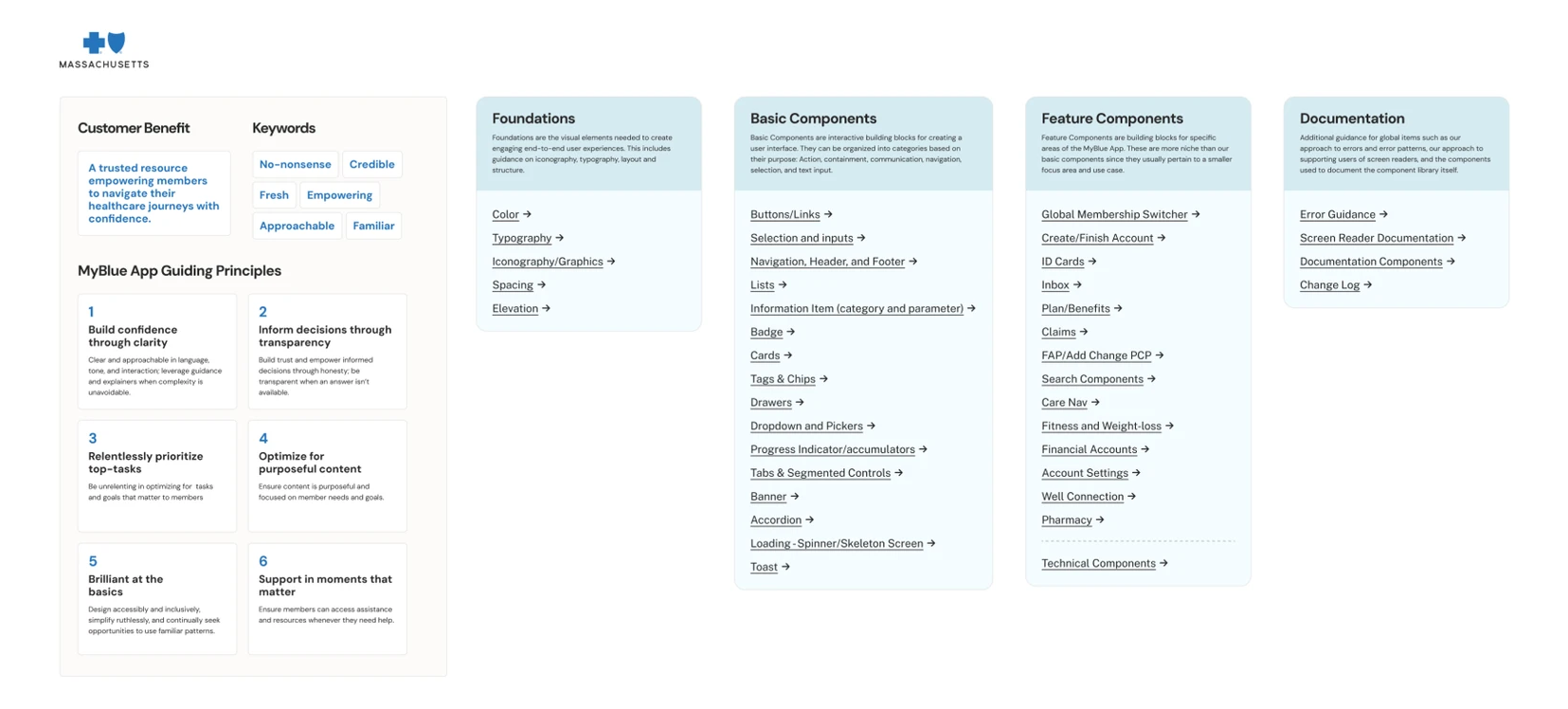
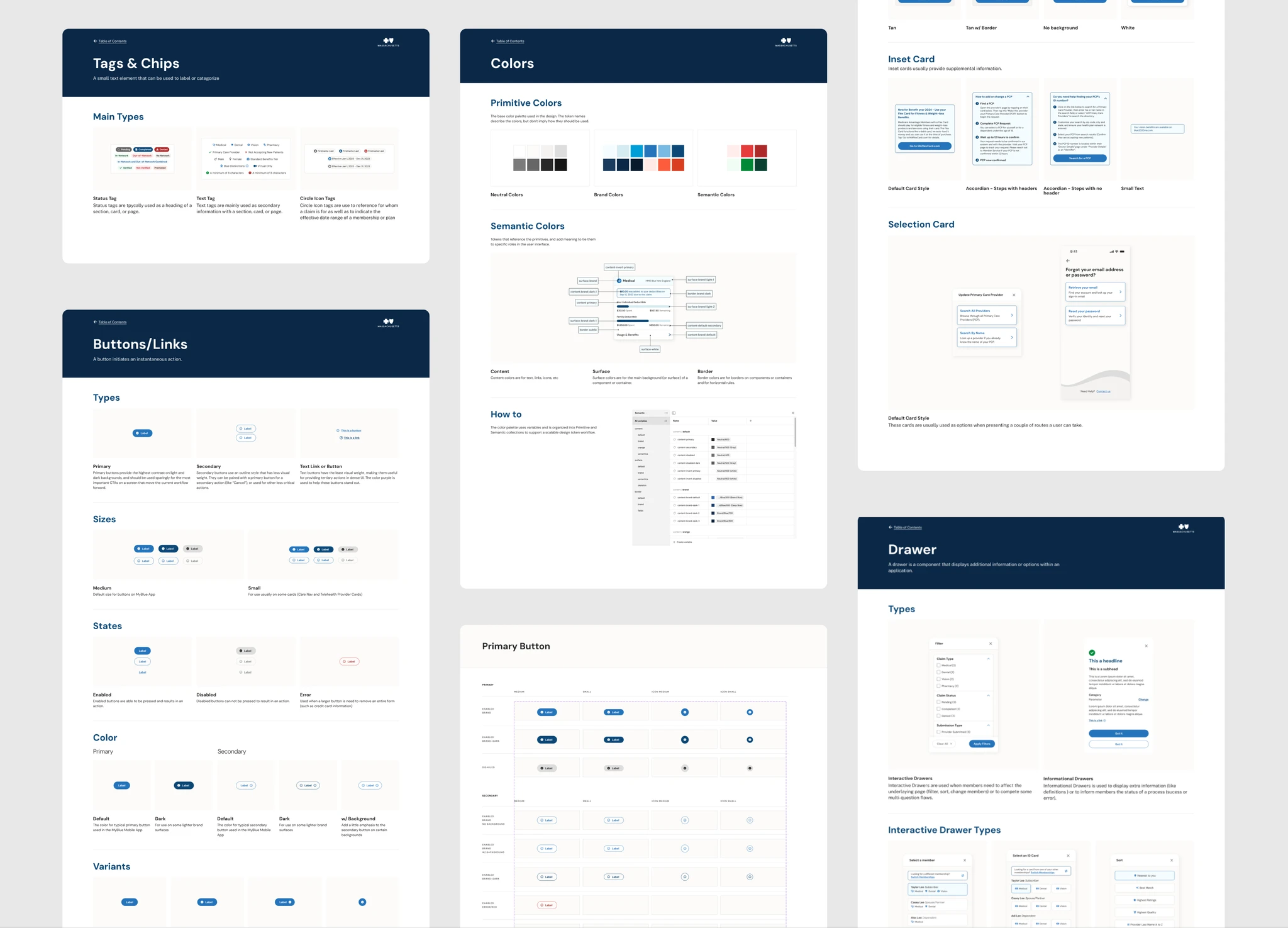
- Design systemA foundation to build onA scalable design system, detailed documentation, and accessibility decisions that carry forward as the app grows.
Challenge
Rebuild a deep app for a highly complex industry from the ground up, in under 10 months, with three designers.
An app members didn’t trust
Members use the app to understand their coverage, review claims, and find care, often when they are worried or confused. The existing app was rated roughly 1.8 stars, so the rebuild had to earn trust back.
A broad product and a short timeline
The scope covered numerous complex feature areas, plus authentication and onboarding. My team also owned the detailed specs engineering needed: error states, uncommon paths, accessibility behavior, and the many edge cases inherent in a complex industry.
Engineering teams start tomorrow
Our team was on board alongside a large engineering firm that owned the build, so design had to stay ahead of engineering to keep the project on track and on budget.
Brand, regulation, and accessibility together
Every decision had to balance BCBSMA’s strong brand with regulatory and accessibility requirements, technical constraints, and what members truly need from their insurer’s app.
Approach
Research-led, with design validated along the way: understand, sprint, validate, and stay ahead of engineering.
Research and listen
We began by understanding what members needed and wanted. Our team’s user researcher ran foundational research with BCBSMA members to learn not just the core pain points of the old app, but the situations and mindsets people bring to their insurer’s app. Those insights directly influenced our push to make the product feel calm and reassuring.
Design sprints
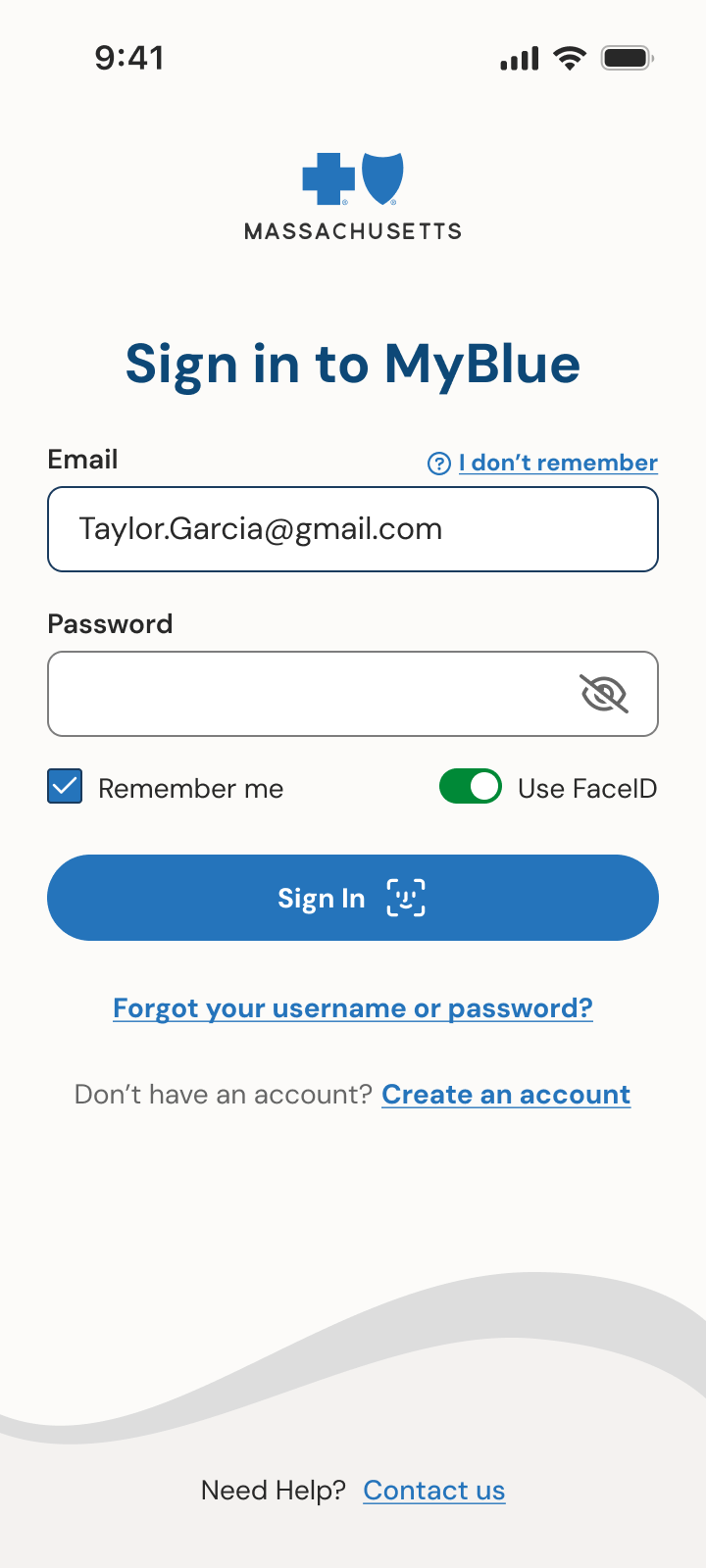
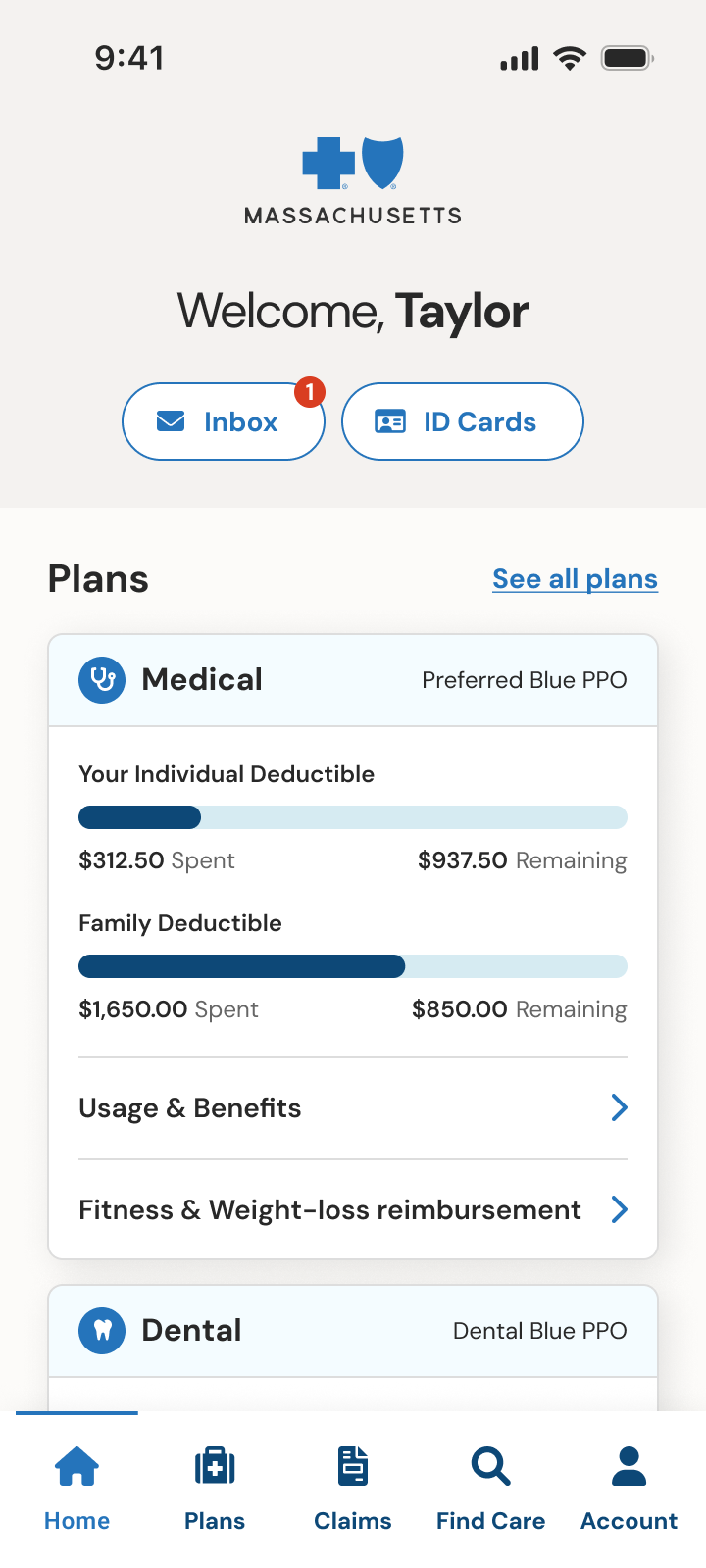
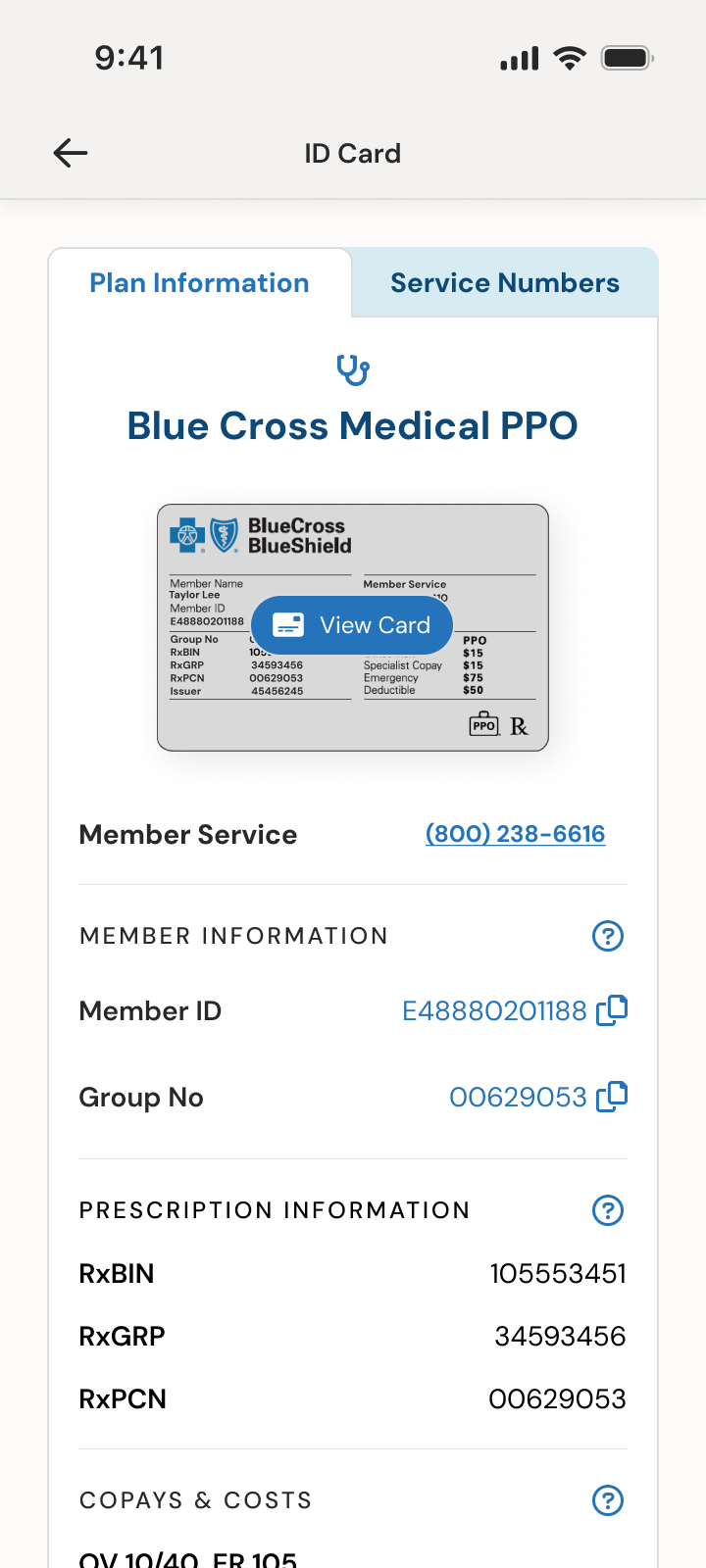
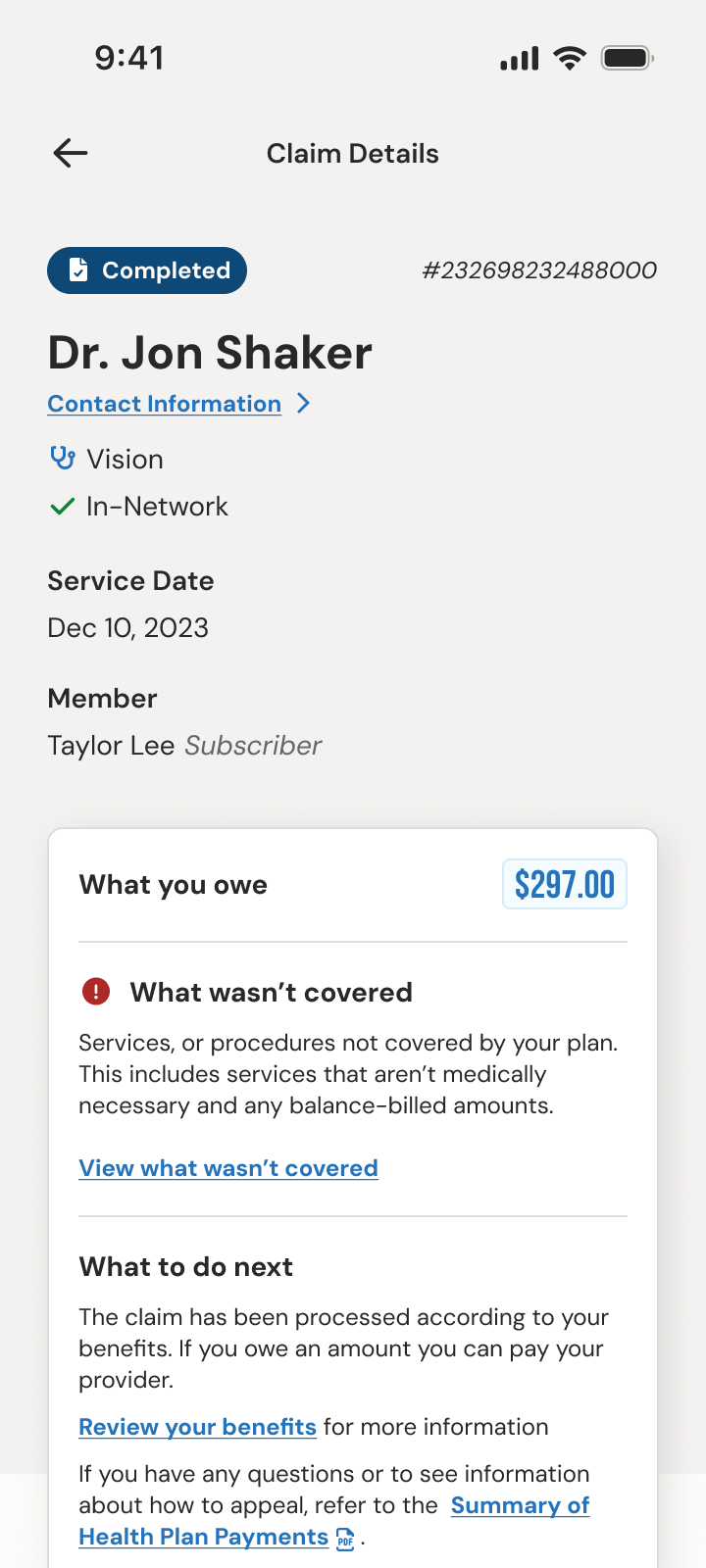
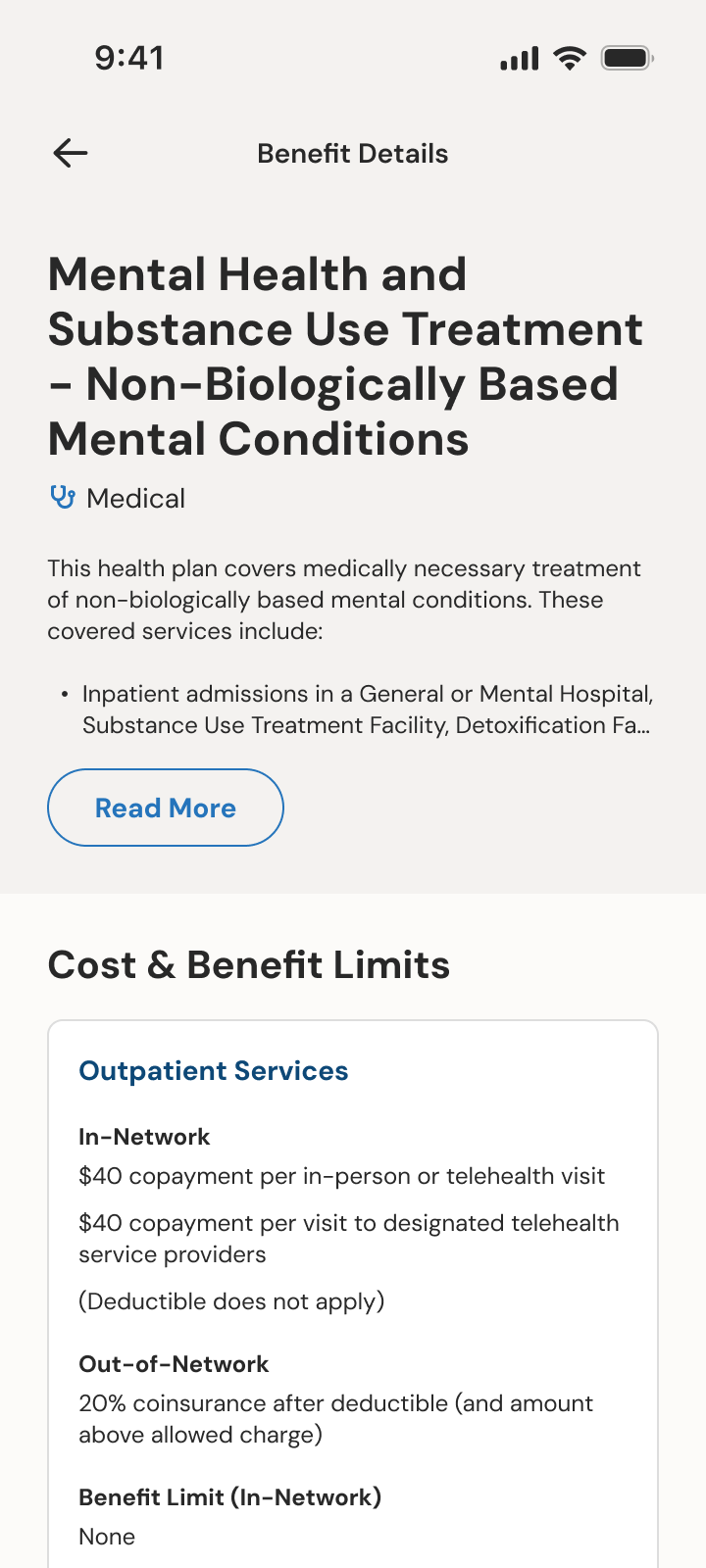
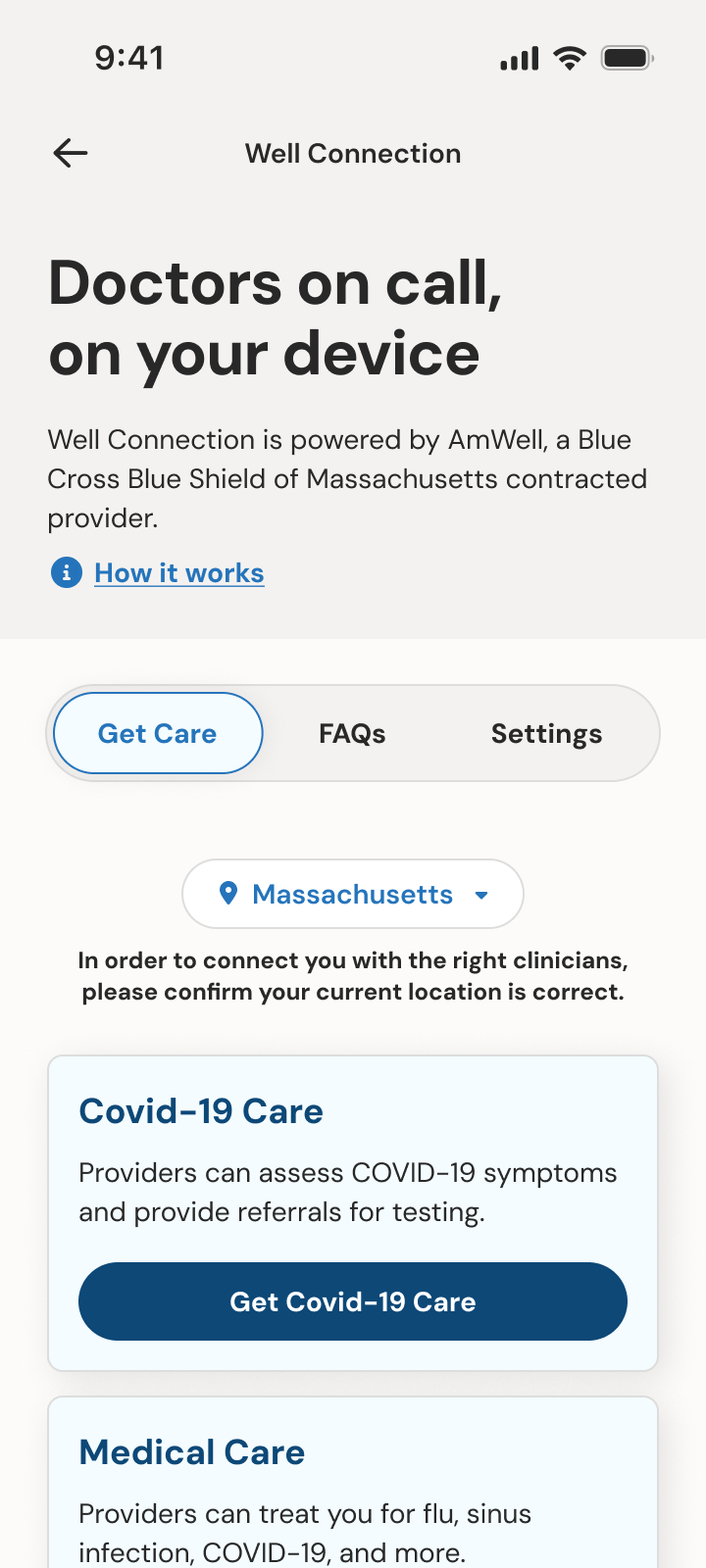
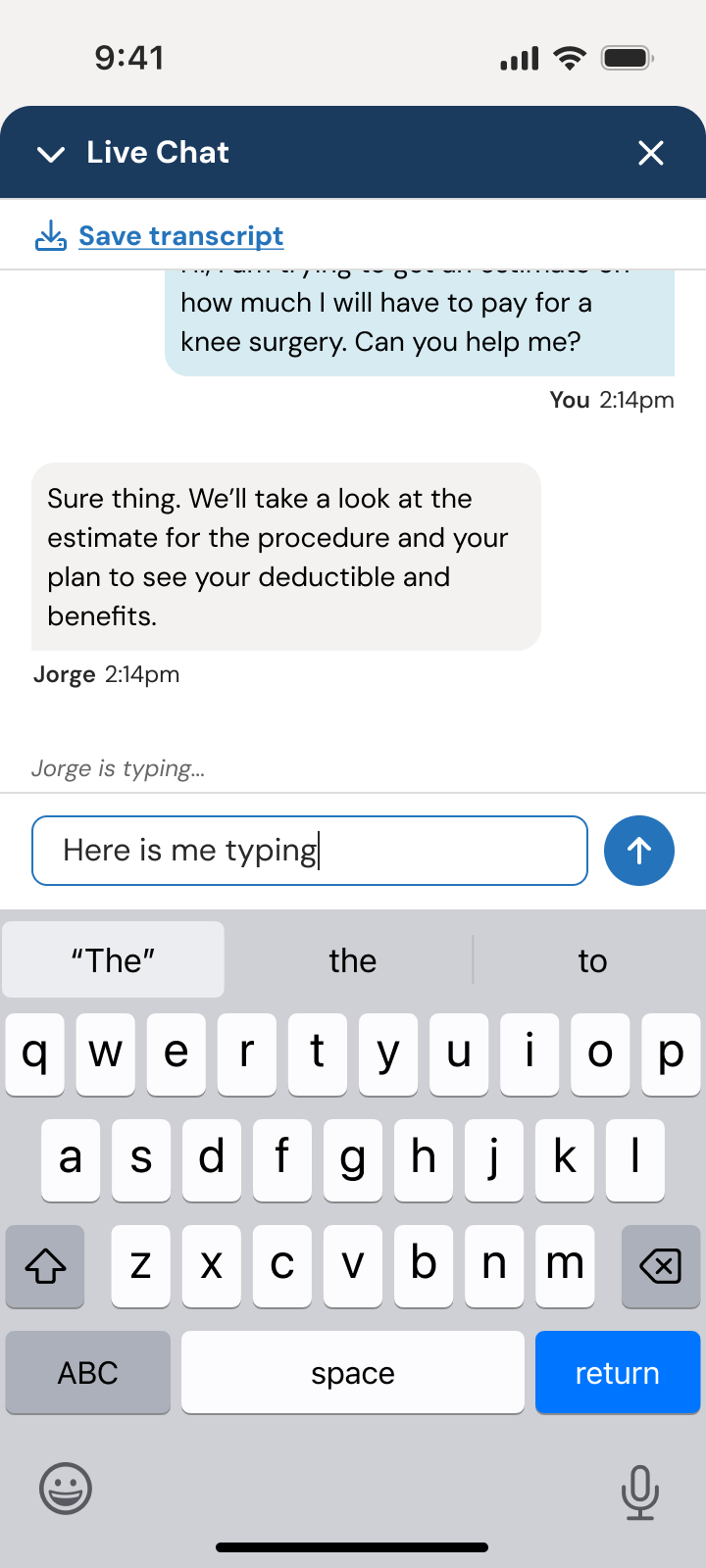
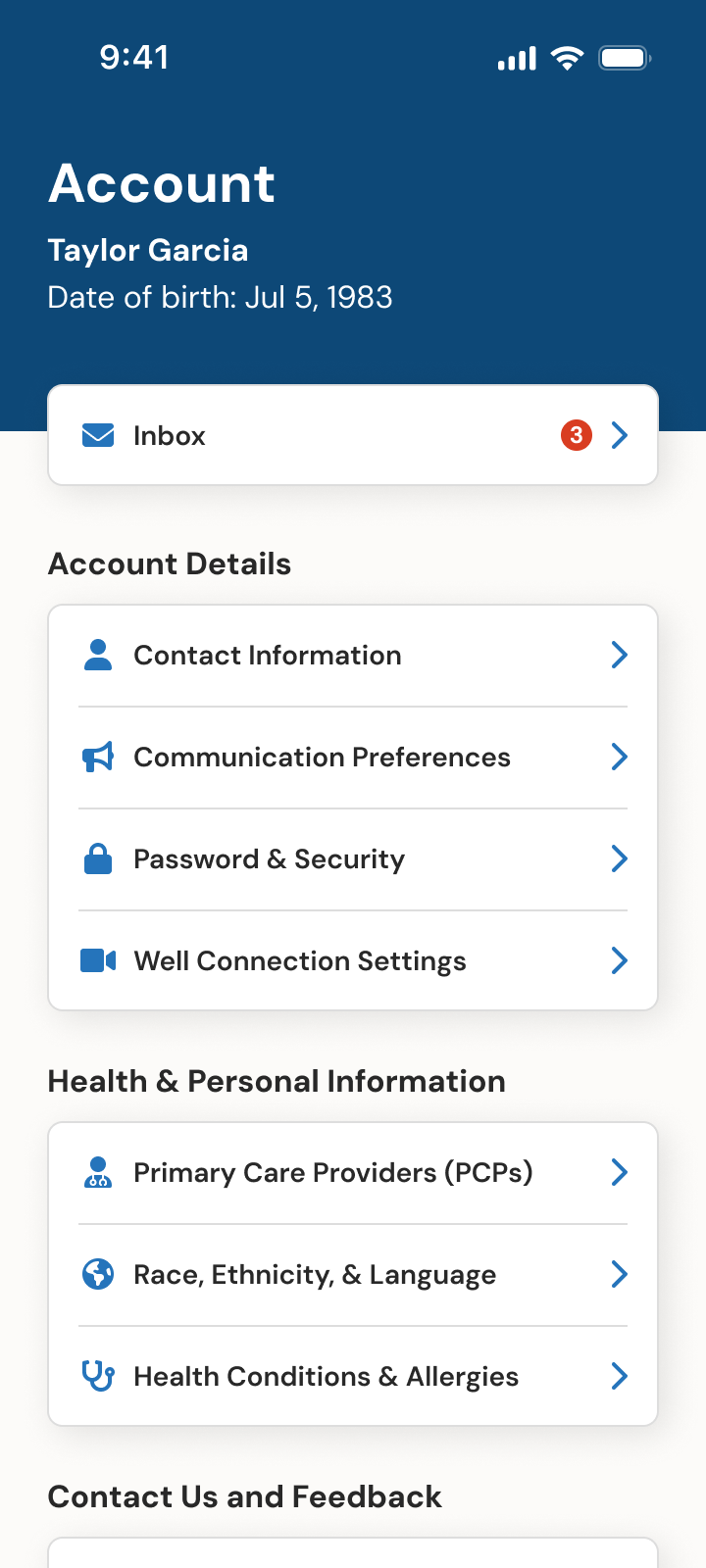
We organized the work into sprints and moved fast to stay ahead of the engineering teams. Early sprints covered login and authentication, the dashboard and navigation, ID cards, and claims. Later sprints covered the rest of the app, including find care, benefits details, telehealth, inbox and live chat, and member profile.
Not every UX problem is a UI problem
Early sprints: login and authentication, the dashboard and navigation, ID cards, and claims
Later sprints: benefits details, telehealth, inbox and live chat, and member profile
Validate and spec
Once a feature was mature enough, we tested it with members. Engineering was close behind every sprint, so validation and detailed specs had to stay ahead, including error states, edge cases, and accessibility behavior. Within the pace of each sprint, we also carved out time to QA the designs being built from the previous sprint.
Accessibility as a core requirement
Key moments
A few design decisions (of many) that ultimately shaped the app.
Design for the moment, not just the brand
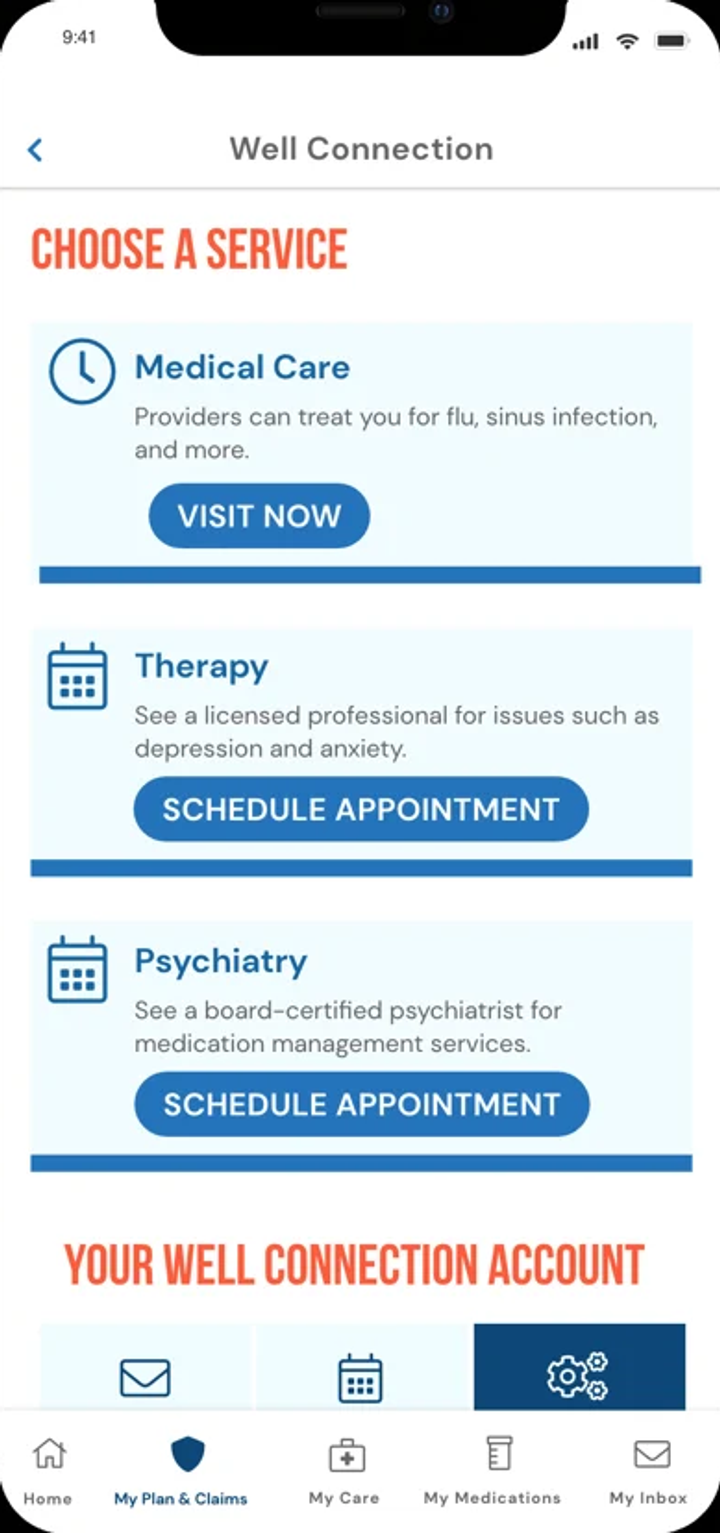
BCBSMA has a strong, established brand built on bold orange, all-caps type, and desaturated photography of smiling people. It works well in marketing and gives the organization a distinct visual style.
In an insurer’s app, though, that language can land the wrong way when a claim is denied, an unexpected bill arrives, or someone is already stressed.
Problem. Loud color and all-caps, condensed type that feels expressive in marketing isn’t always right for task-based flows in a mobile app. Simply applying the brand can make a confusing claim or an expensive payment more stressful to process.
Solution. Using direct member feedback from our up-front research, my team advocated for restrained use of imagery, warm colors that are less associated with clinical settings, and typography tuned for comprehension rather than marketing impact.
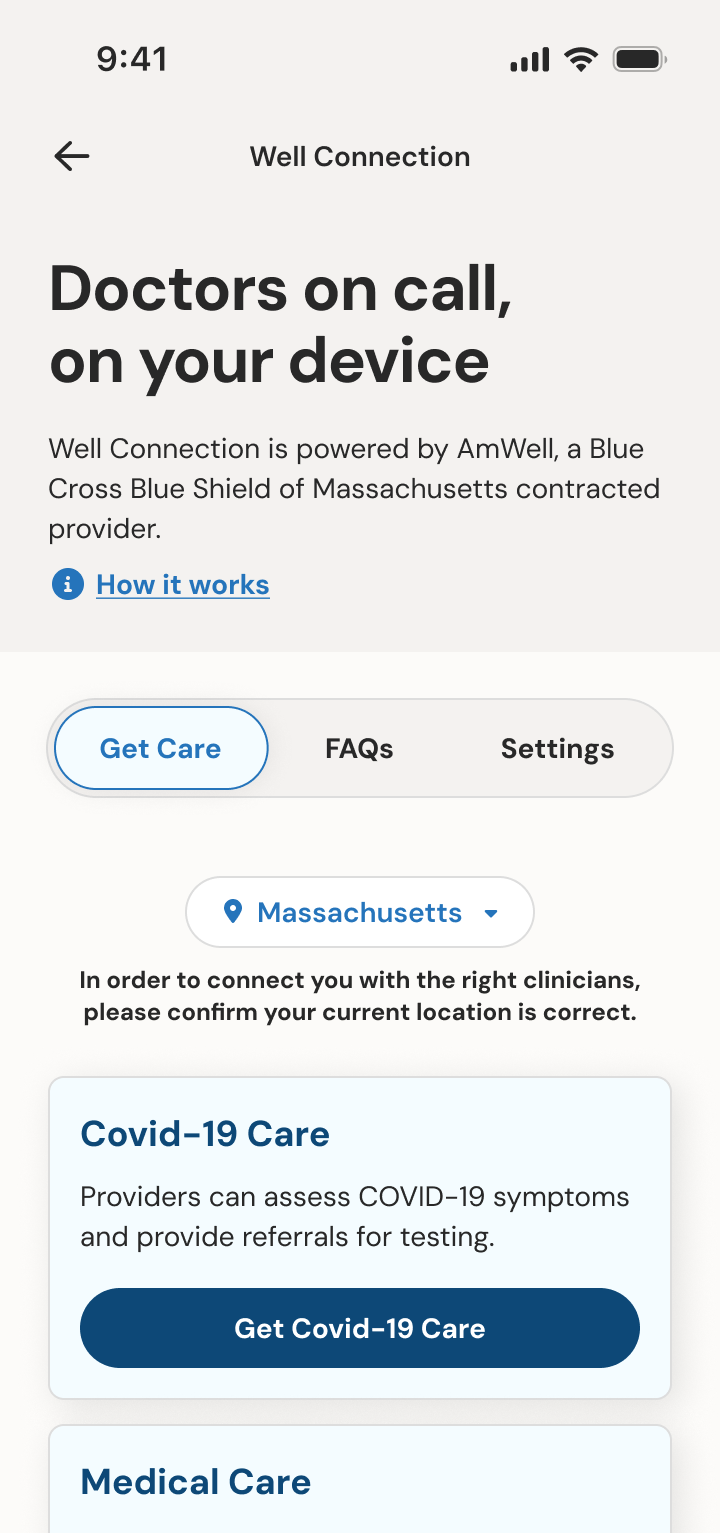
Not every UX problem is a UI problem
Throughout the project, some stakeholders questioned whether some redesigned areas were “different enough” from the legacy app. They wanted to be sure the new app was more than a surface-level reskin.
Find Care was one such area. The underlying interaction model was straightforward in both the legacy app and the redesign: confirm the member, plan, and location, then search by provider, specialty, condition, or keyword. The new flow was clearer and more modern, but the progression from screen to screen was similar, and stakeholders wondered why, when members complained about search.
Digging into member feedback pointed somewhere else. Searches that weren’t an exact match returned nothing, so a member looking for an eye doctor might not see optometrists, and a member searching for “rash” might not find dermatologists.
Problem. The search wasn’t “fuzzy” enough and required knowledge of medical terms. Reasonable queries that weren’t a direct match for established keywords surfaced no results, which no screen layout or change in task flow could fix.
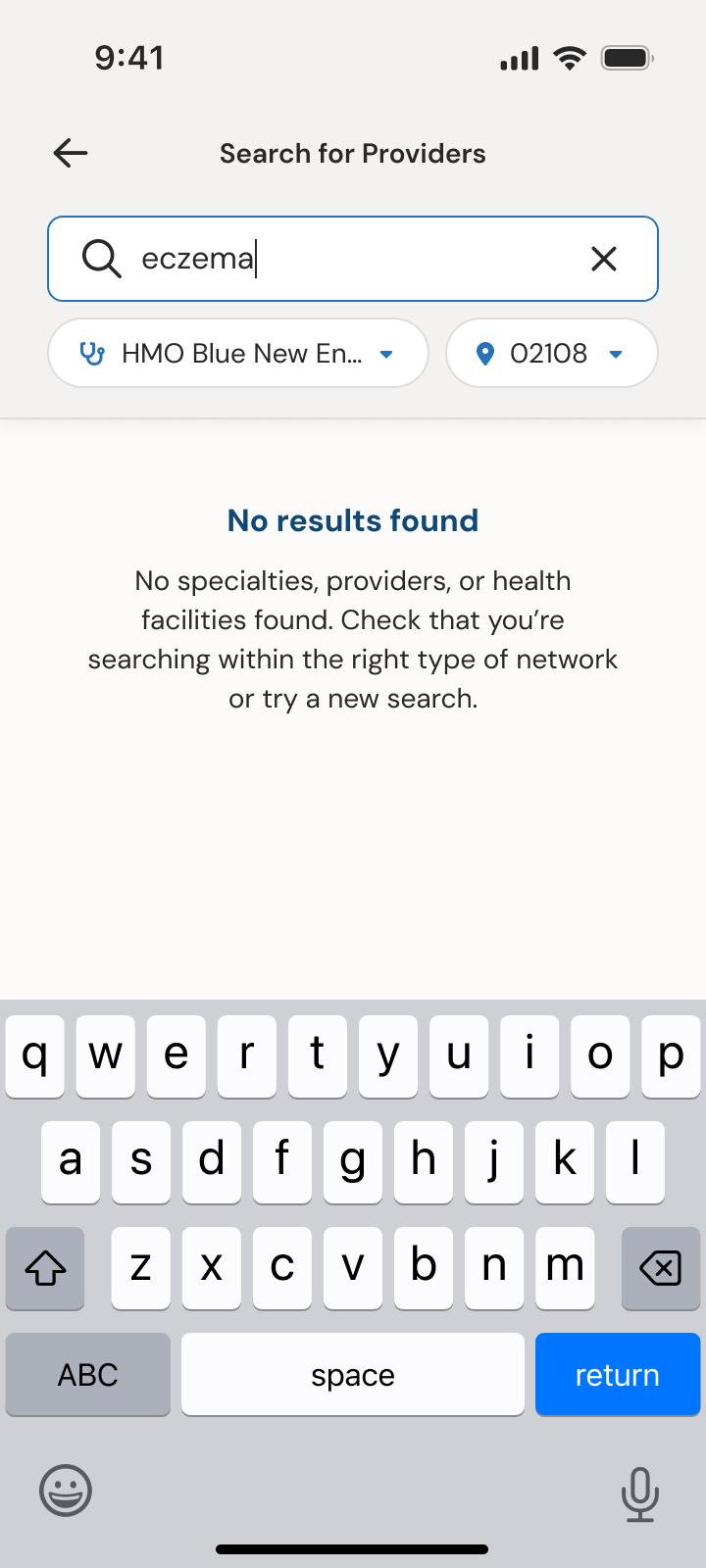
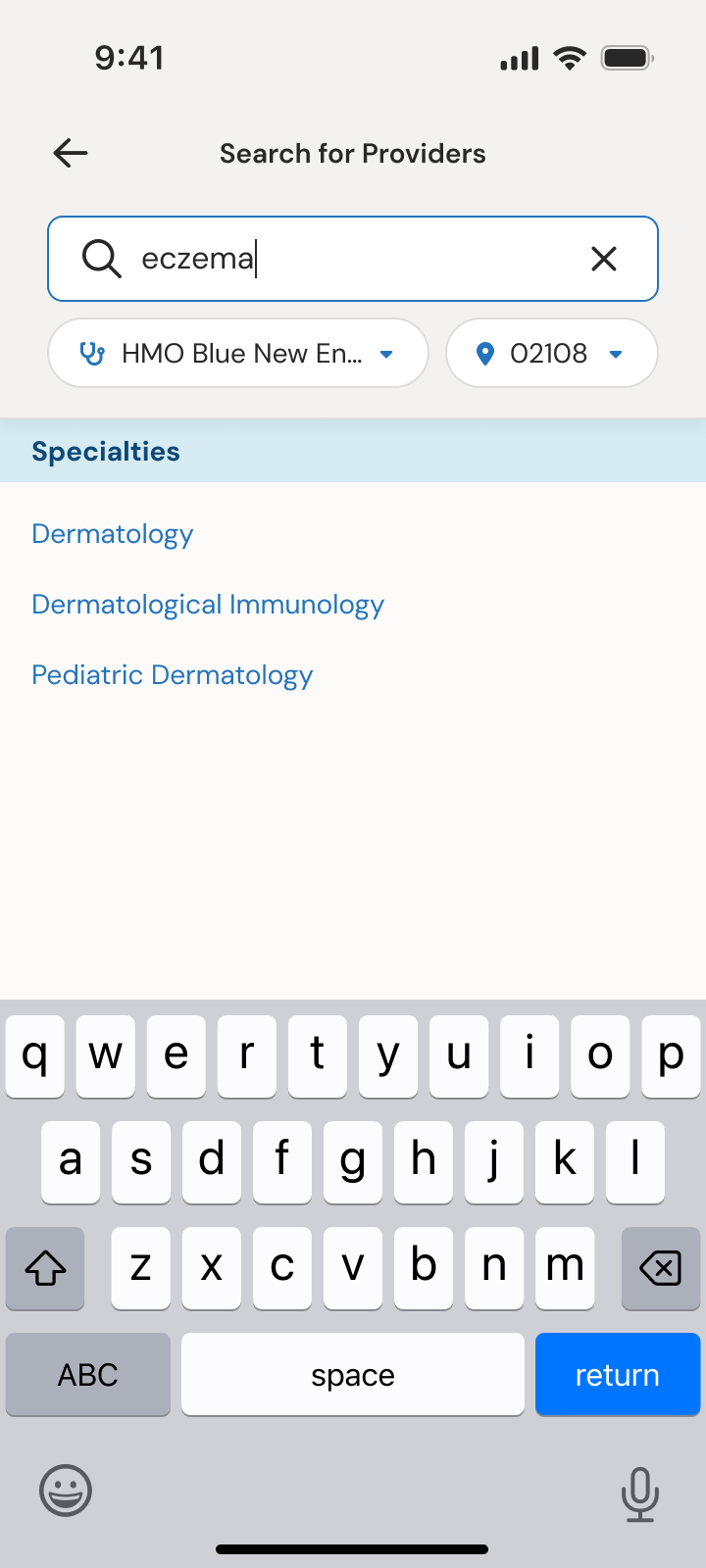
Solution. I helped move the conversation from “the flow needs to be different” to “how does search understand intent?” The BCBSMA team added fuzzy and keyword-associated search, and the interface shows it as related specialties.
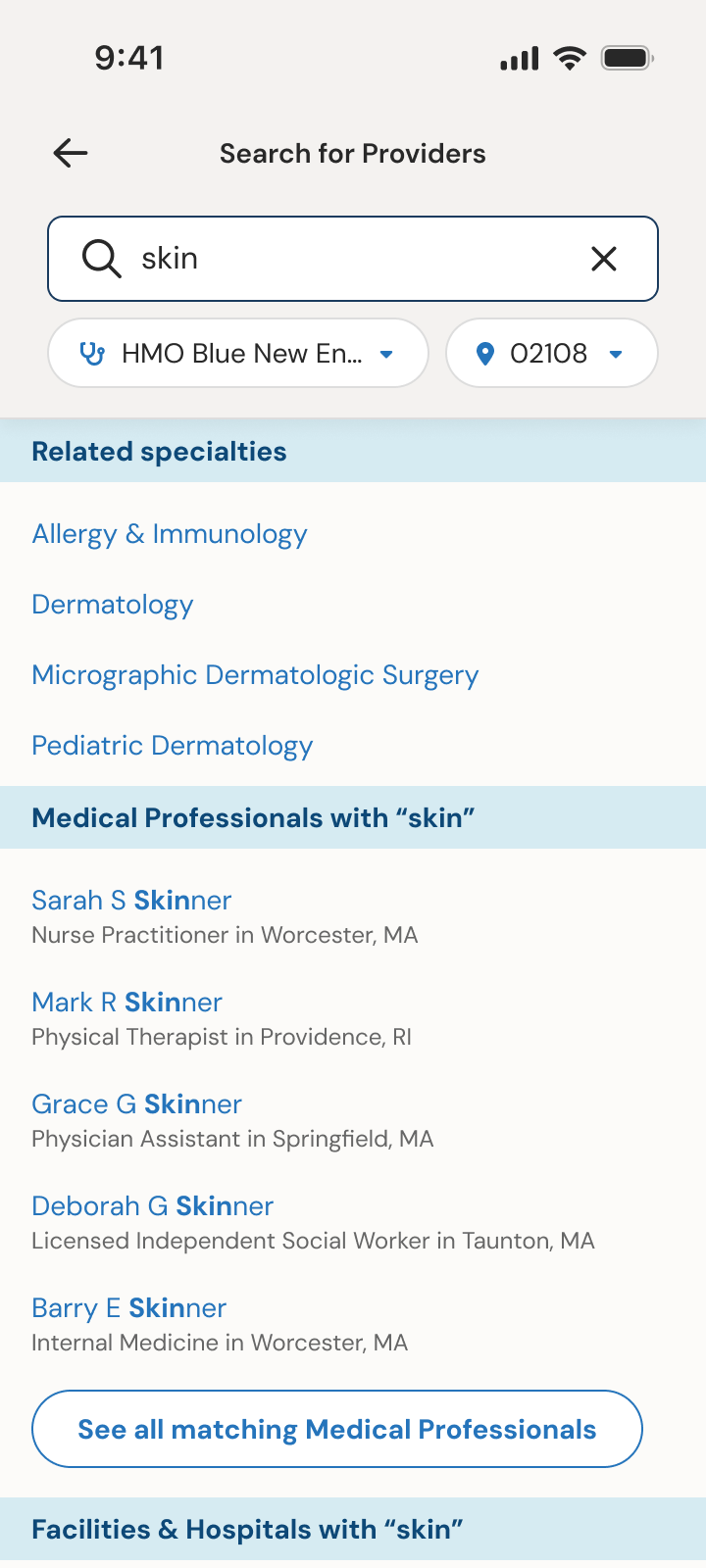
Search suggestions for “skin” 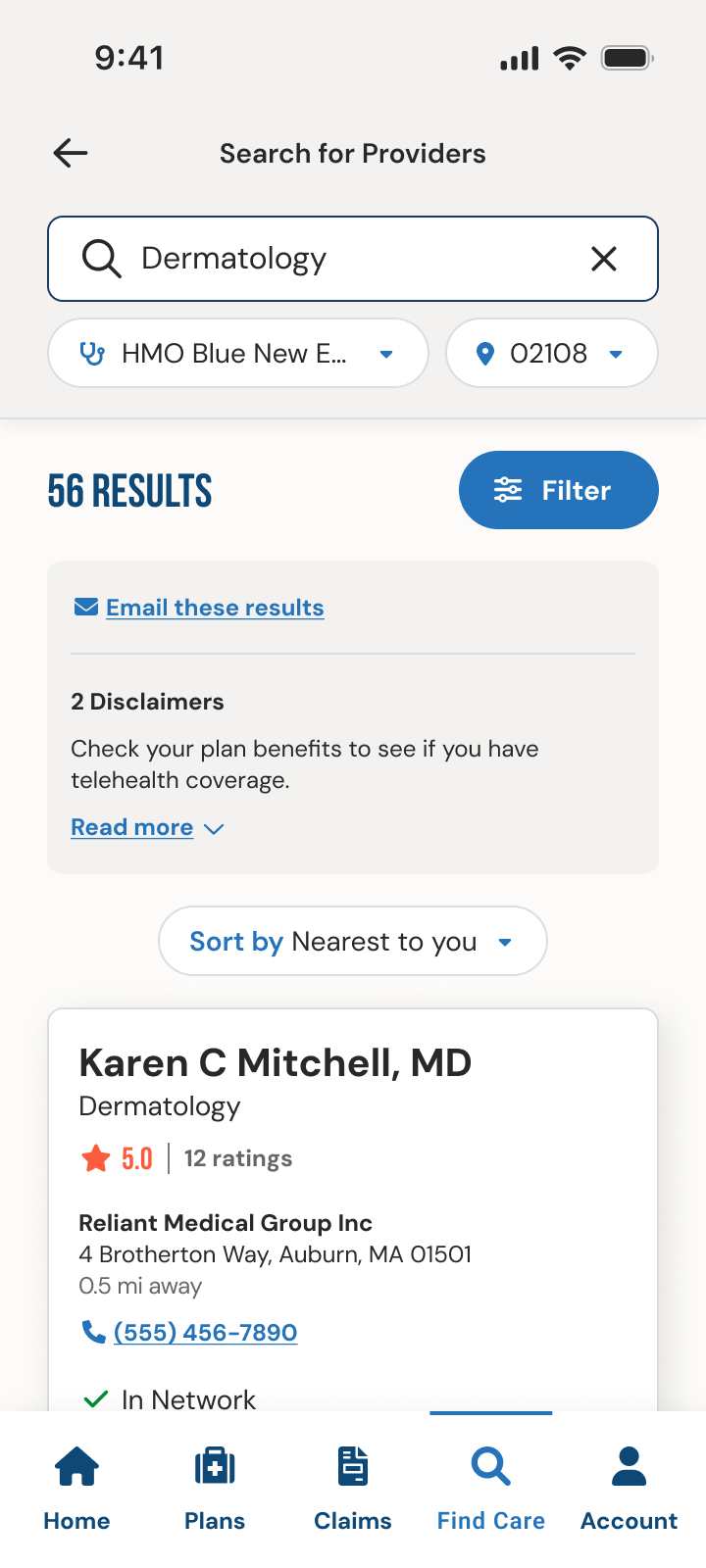
Search results 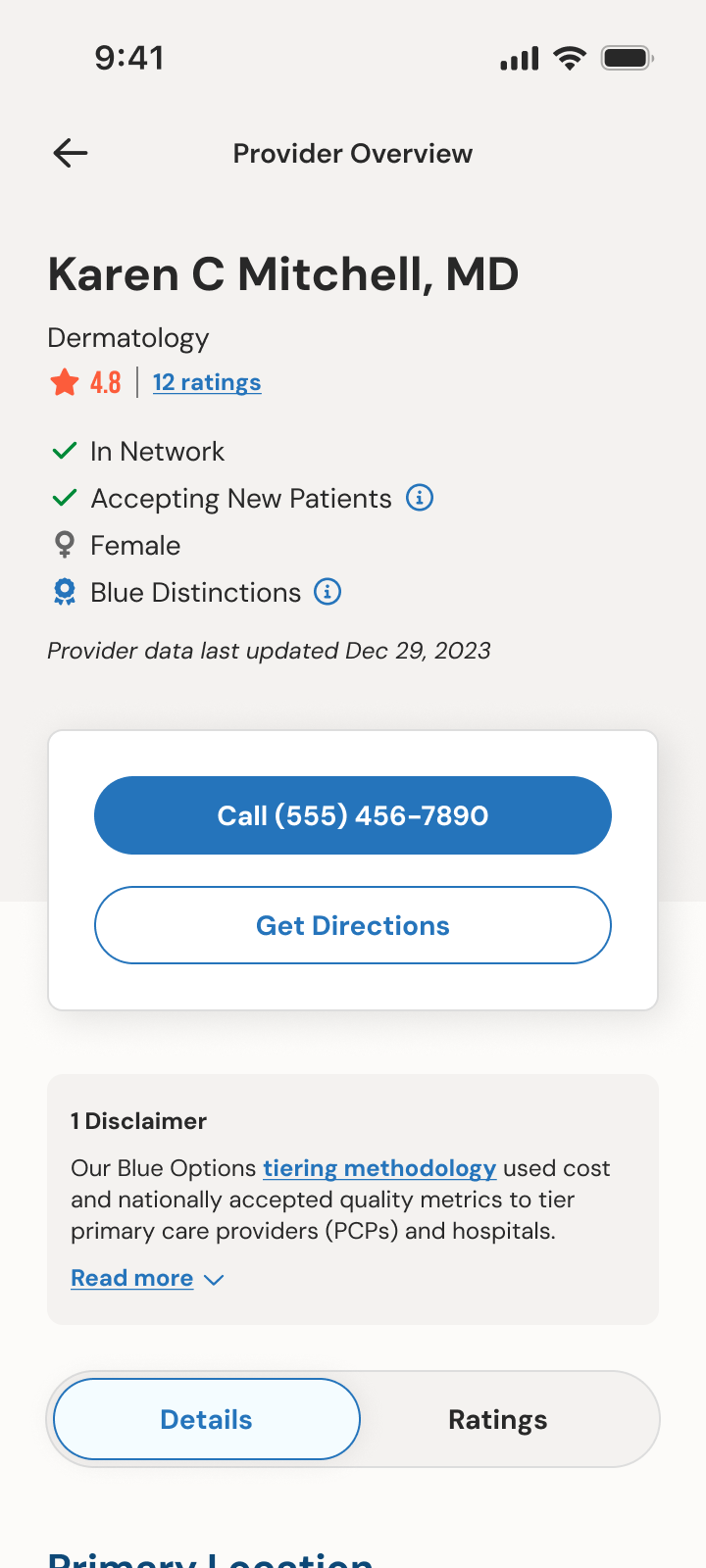
Provider overview
Accessibility as a core requirement
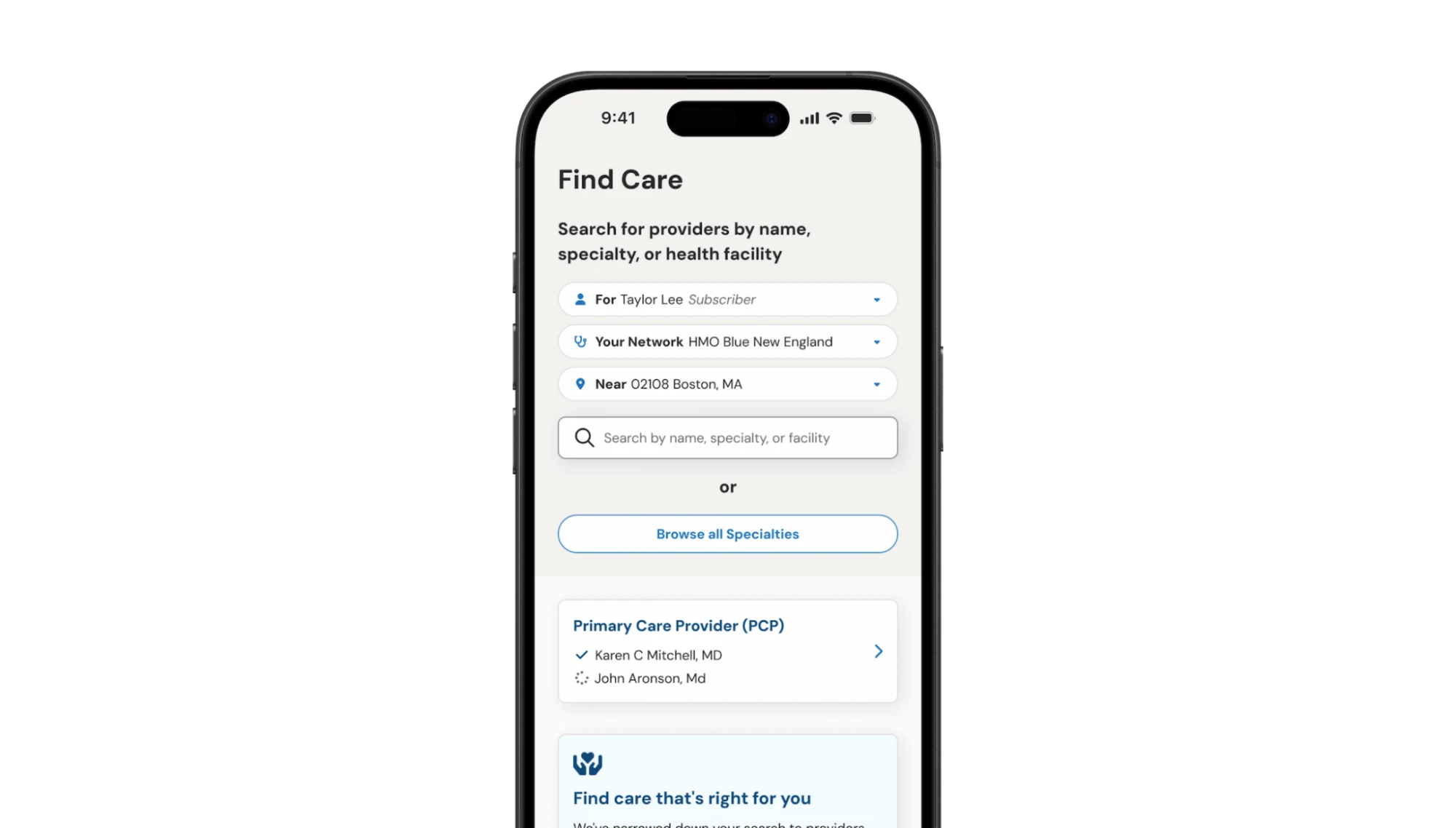
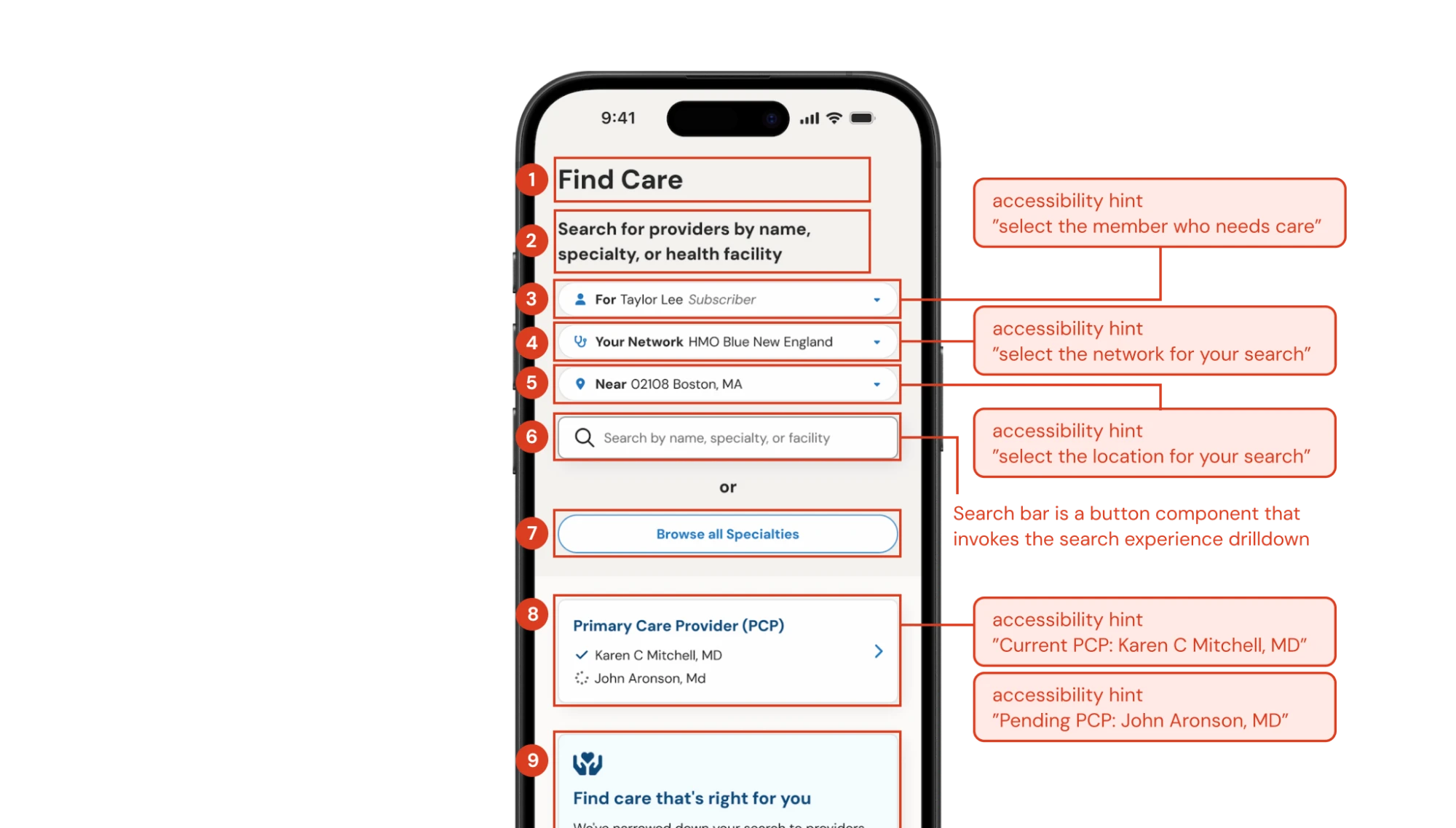
Accessibility couldn’t be a pass at the end of the project. Engineering was right behind each sprint, so it had to be built in as we went.
I considered color contrast, reading level, touch targets, and assistive technology throughout design. I also wrote accessibility guidance for each major feature, including screen reader focus order and announcement behavior for the iOS and Android screen readers. That meant defining what a screen looked like and also what a member using assistive technology would hear, and in what order.
Impact
A fully redesigned app with stellar ratings and a strong design foundation for future growth.
4.9 / 5 Apple App Store rating, up from roughly 1.8, with 12,000+ ratings as of October 2026.
- ★★★★★
Works much better
“The old app was terrible. It’s so nice to see that BCBSMA listened to their customers feedback and fixed it”
- ★★★★★
Great
“So much better since the relaunch!”
- ★★★★★
Easy to use
“New App is easy to use!!”
- ★★★★★
Ranga
“I love the new app , good to know that we can add ID cards to wallet.”
- ★★★★★
Great App
“Very User Friendly App. Nice work BCBSMA love this new UI.”
- ★★★★★
Easy Navigation
“Easy to navigate and find what you’re looking for.”
Speed and scale
Redesigned and launched in under 10 months by a three-person design team, across 12 feature areas.
Reach
Serving nearly 3 million BCBSMA members on iOS and Android.
More than a refresh
The result gave BCBSMA a clearer, calmer, and more accessible touchpoint with members, and a design system for continued growth and future member needs.